Monthly Cash Flow
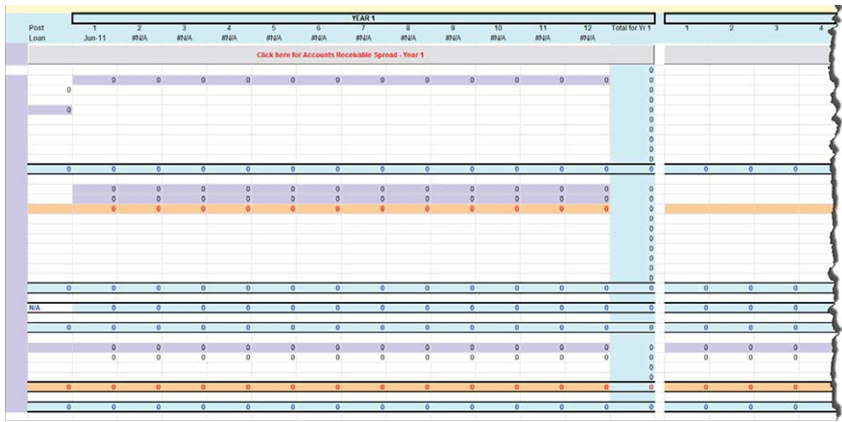
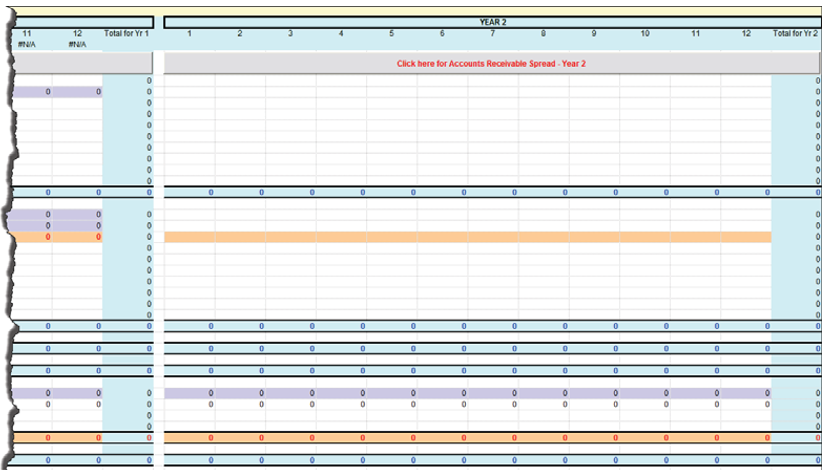
Note the following:
- Cash Sales - populates from Cash Sales on the Monthly Profit and Loss tab and cannot be edited (must be edited on the Monthly Profit and Loss tab).
- Cost of Goods Sold - populates from Cost of Goods Sold on the Monthly Profit and Loss tab and cannot be edited (must be edited on the Monthly Profit and Loss tab).
- Total Expense - populates from Total Operating Expense plus Total Interest Expense on the Monthly Profit and Loss tab and cannot be edited (must be edited on the Monthly Profit and Loss tab)
- Depreciation - populates from Depreciation on the Monthly Profit and Loss tab and cannot be edited (must be edited on the Monthly Profit and Loss tab).
- Beginning Cash - populates from Cash & Equivalents/Interim on the Balance Sheet- Historical tab and cannot be edited (must be edited on the Balance Sheet - Historical tab).
- SBA Loan: Principal - populates from the Amortization Schedule. It is the principal paid for each period of periods 1 through 12. This cannot be edited.
- If the transaction is a 504 loan, the following 2 new rows will be created with
the corresponding defaults:
- Private Lender: Principal: populates from the TSoftPlus Amortization Schedule in the Private Lender screen. It is the principal paid for each period of periods 1 through 12. This cannot be edited.
- SBA: Principal: populates from the TSoftPlus Amortization Schedule in the Debenture Pricing screen. It is the principal paid for each period of periods 1 through 12. This cannot be edited.
The following items are editable:
- Month
- A/R Collected (# Days)
- Loan Proceeds
- Cash Injection
- Beginning Cash
- Other (5 rows)
- Fixed Assets Purchase
- Other (6 rows)
- Other Debt: Principal (3 rows)
- Beginning Cash - Year 2
The following items are system-calculated:
- A/R Collected
- Cash Inflows
- Total Disbursements
- Cash From Operations
- Cash on Hand
- Total Principal Reduction
- Cash Ending Balance
- Total (column P)
- Click here for Accounts Receivable Spread - Year 1 button - To the right of the AR Collected (# Days) row heading is a field (in white) which you can enter your applicant's projected number of days to collect. After entering the projected number of days to collect, click the Click here for Accounts Receivable Auto spread button and the Credit Sales numbers will spread across. These numbers are derived from the Proforma accounts receivable amount on the Balance Sheet - Pro Forma and any Credit Sales amounts from the Monthly Profit and Loss.
- Click here for Accounts Receivable Spread - Year 2 button - Spreads the Credit Sales amount from the Profit & Loss Pro Forma - Year 2 evenly across 12 months. Also spreads Cash Sales, Cost of Goods Sold, Total Expenses, Depreciation and SBA Principal evenly across 12 months.