Importing Transaction Data
Note:
- To import transaction data into TSoftPlus, you must have one of the
following:
- an existing transaction, or
- a new transaction where the Organization, Jurisdiction and Product type have been
- selected
- You cannot import a TSoftPlus transaction file that originated with a newer version of TSoftPlus.
To import transaction data:
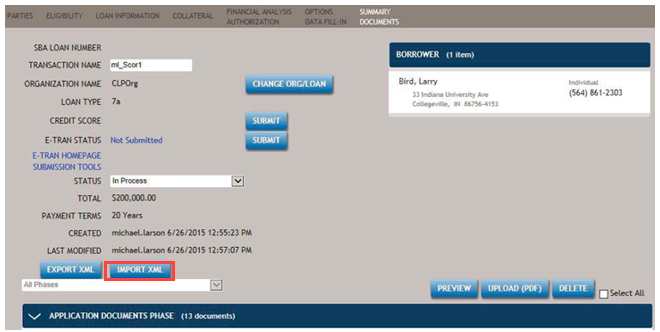
- Open an existing transaction in Summary Documents.
- Select the IMPORT XML button to browse to XML you wish to
import.
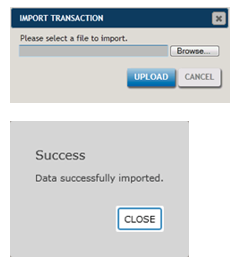
- Locate and select the file you wish to import and select UPLOAD. A
confirmation message indicates the file has been successfully imported.
 Note:The Organization information comes from the imported file, not the Organization used to create the transaction. Best Practice Tip: both Lending Institutions and Service Providers should create their Organizations with the exact same information to avoid confusion. New parties are always created for imported transactions.