Quick Quotes
This procedure explains how to create a quick quote.
Creating a Quick Quote
- Navigate to Quick Quotes: From the main menu, select the Quick Quotes
section. Select CREATE NEW QUOTE. This will open the Quick Quote
screen.
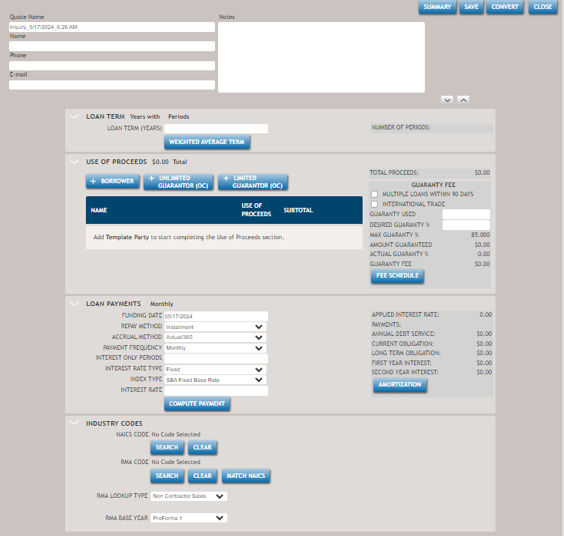 Note:The system automatically populates the Quote Name, but it can be changed during the creation of the Quick Quote.
 - Enter as much information as possible. For information on the various features of the Quick Quotes screen, refer to Quick Quote Screen.
- Select SAVE when finished to save the new Quick Quote.
- Select CLOSE to return to the previous screen.