Adding an Individual Party
The Manage Parties screen allows you to add an individual party,
which refers to a single person acting as a party.
Note:
You can no longer
create a new loan or view all loans by hovering over a party in the Manage
Parties screen.
- From the Loan Transactions section of the main menu, click MANAGE
PARTIES. The Manage Parties screen is displayed.
To view additional party details, click the arrow next to the party name to expand the section.
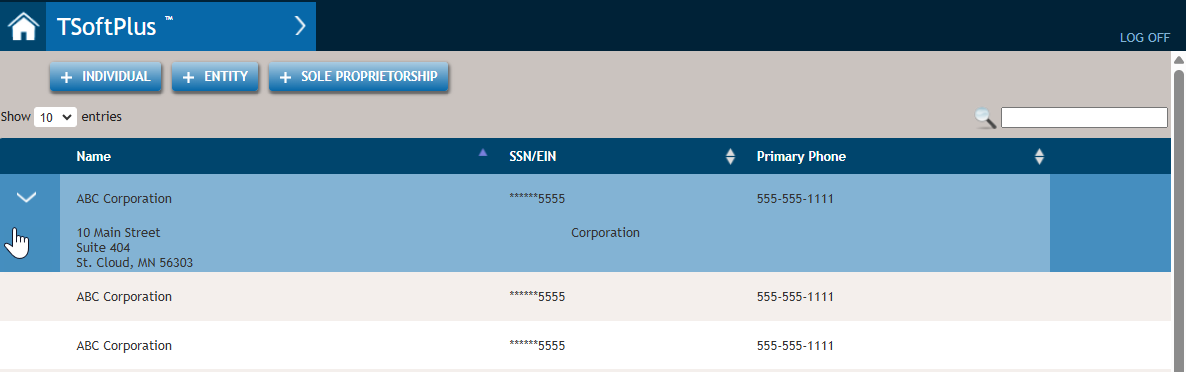
- Select the +INDIVIDUAL button. The Create Party screen is
displayed. The Party ID field is not utilized in
TSoftPlus.
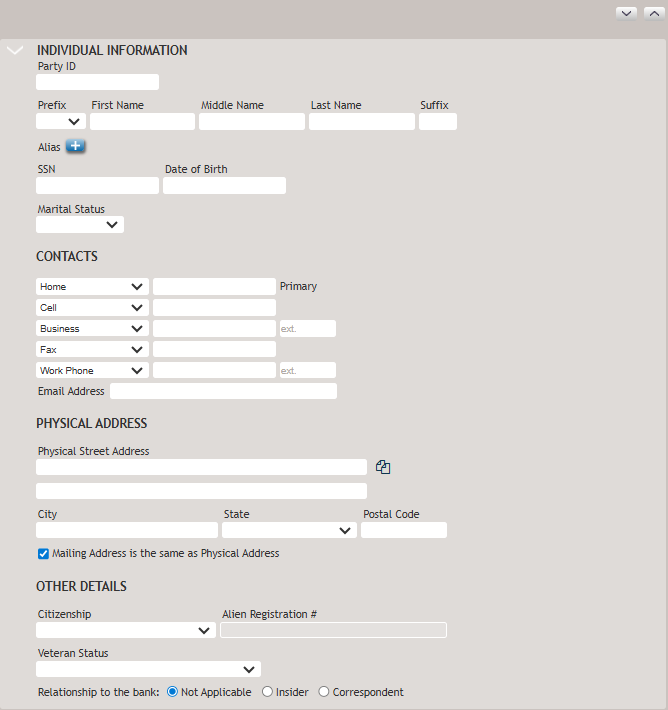
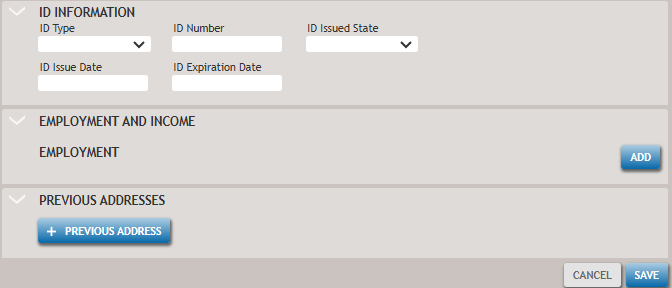
- Provide as much information about the new party as possible to ensure
accuracy.Party Information:
- Copy button
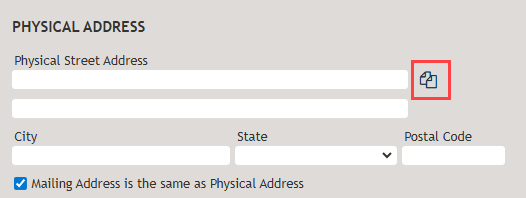
Use this button to copy an address from another party record.
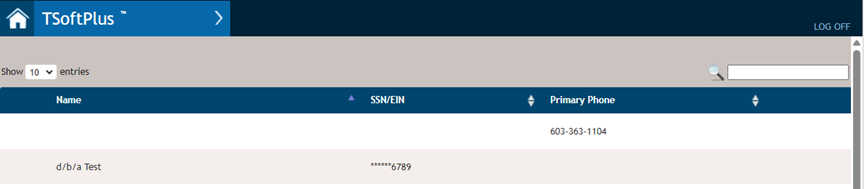
After clicking this button, you can search on the list of existing parties using a search box or increase the number of entries to display and scroll through the list.
- SSN: Social Security NumberAn Employer Identification Number (EIN) is required for a business to:
- Hire and pay employees
- File federal and state business tax returns
To be classified as a Partnership, LLC, Corporation, S Corporation, Non-Profit, or similar entity, a business must obtain an EIN. Businesses that do not obtain an EIN are considered sole proprietorships, and the Owner/Operator’s Social Security Number (SSN) is used on tax documents instead.Note:- The SSN field includes a format mask with dashes (e.g., 123-45-6789) to ensure proper entry.
- The system does not prevent creating multiple parties with the same SSN.
- Expand and collapse sections of the screen using the expander arrows
at the top of the page.

- Copy button
- Select Save to create the new party. Once saved, the party details will be added to the system.