Adding a Sole Proprietorship Party
The Manage Parties screen (as well as the Select a Party screen) allows you to add a sole proprietorship party. A sole proprietorship party is a type of entity that is an unincorporated business owned and operated by one person or, in some jurisdictions, by a husband and wife.
- Select +SOLE PROPRIETORSHIP. The Create Party screen is
displayed.
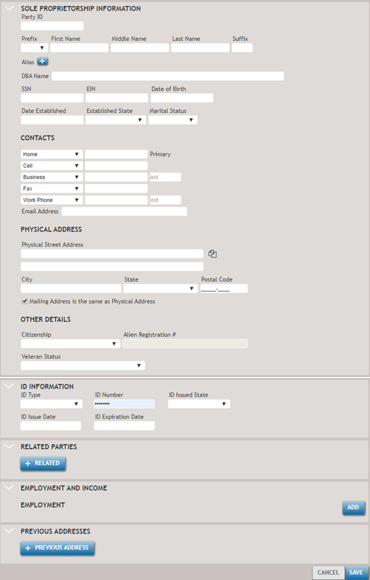 Note:The Party ID field is not utilized in TSoftPlus.
 - Enter as much information on the new party as possible.
Selecting +RELATED allows you to associate one or more existing parties to this sole proprietorship.
Select the +RELATED button for each related party you wish to add.
- Select SAVE. The new party is created.