Adding a Related Party
This screen allows you to associate an existing party with the party you are creating or editing.
- Select +RELATED to create a new party or to see the list of existing
parties.
The Related Parties screen is displayed.
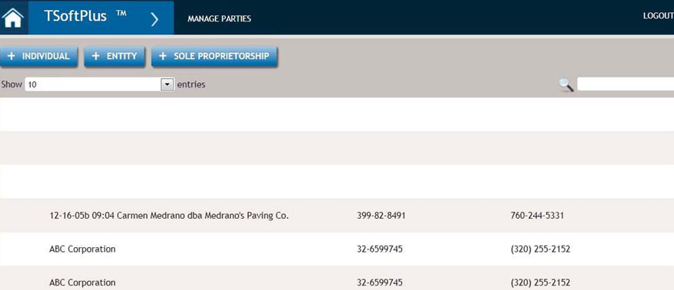
- Browse or search existing parties for a party you wish to add as a related party. Select to add the party.
- To add a new related party, select +INDIVIDUAL, +ENTITY, or +SOLE PROPRIETORSHIP and fill out the related party information as you would for any other party.
- As you add related parties, you will see a new hierarchy button next to
+RELATED.
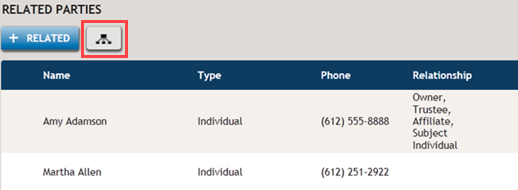
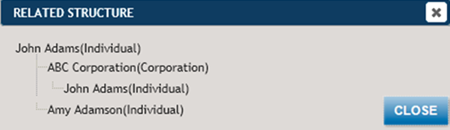
- Selecting the Hierarchy button displays the relationships between all of
the parties.
Related Party Details
When you select a related party, the details of the relationship are defined in Related Party Details.
Select those fields appropriate for the related party. The Signer/Trustee checkbox only shows for Entities that are Trusts, that is, Trust has been selected from the Entity Type dropdown, or the Land Trust Trustee or Land Trust checkbox has been selected. For all other entities the checkbox is Signer. Note that for Signer/Trustee, the title Trustee will default as the title, but it can be edited. The Beneficiary checkbox only displays for Trusts. A related party cannot be both a signer and a beneficiary. TSoftPlus does not use the beneficiary data at this time but Beneficiary is displayed in the Related Party Relationship column.