Opening the Financial Analysis Spreadsheet
This section is provided help opening the financial analysis spreadsheets.
- After creating a new loan or opening an existing loan, select FINANCIAL
ANALYSIS from the submenu. The Financial Analysis and
Authorization screen appears.
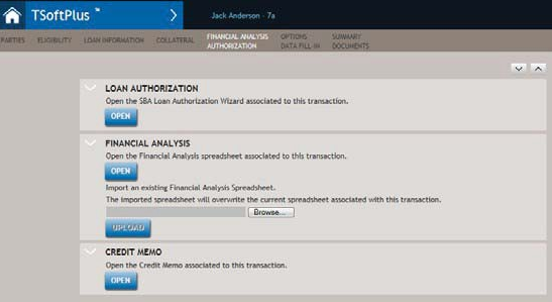
- Select OPEN. The File Download dialog appears prompting you to
open or save the spreadsheet.
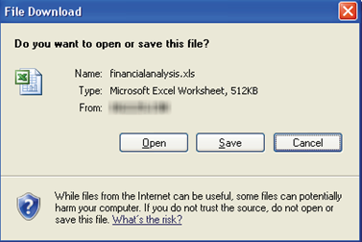
- To view the file, select Open. To save the document to your local
machine for editing, select Save.
For this example, we have selected Open. The spreadsheet opens in Microsoft Excel and displays the Spread Setup tab.
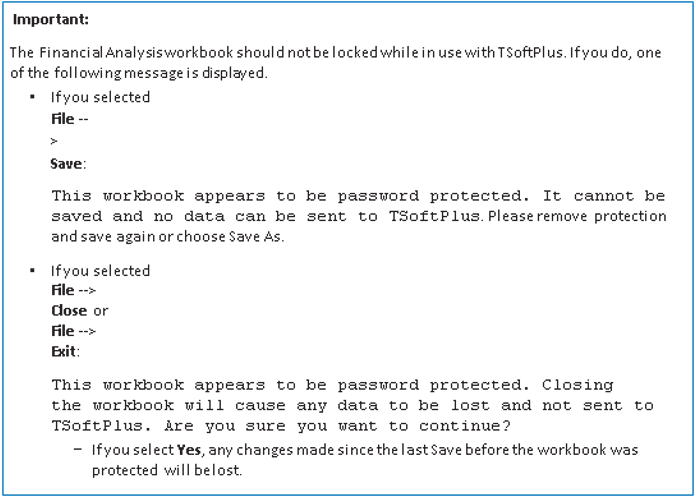 If you need assistance opening the Financial Analysis Spreadsheet, refer to:
- Cannot Open the Financial Analysis Spreadsheet
- Enabling Macros in Excel 2010