Balance Sheet – Historical
Use the Balance Sheet spreadsheet to enter the applicant's historical balance sheet information.
Use the Balance Sheet spreadsheet to enter the applicant's historical balance sheet information including up to three years of historical balance sheet information and one interim period.
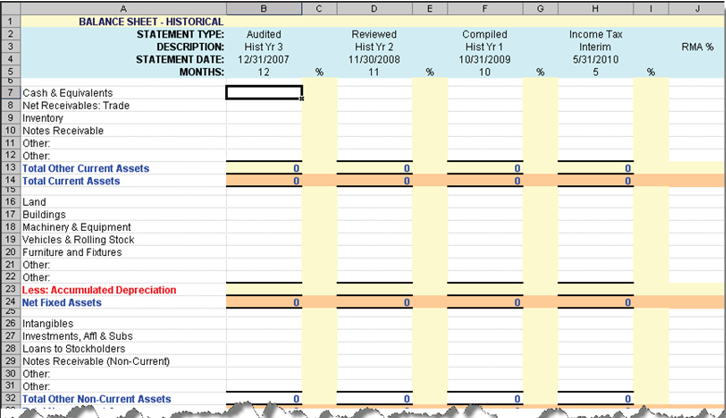
If only two years of historical data is available, enter the oldest data in the column
headed (Year 2). Similarly, if only one year's data is available, begin with the column
headed (Year 1). Always move from left to right, oldest to most recent.
- RMA% (column J) - Displays RMA data if an applicable RMA code was chosen in TSoftPlus.
- Interim (Column H) - transfers to Column B, Interim, on the Balance Sheet-ProForma worksheet.
- If the transaction is a 504 loan, then 4 new rows are created:
- Current Maturities - SBA L/T/D
- Current Maturities - Priv Lndr L/T/D
- LongTermDebt-SBA
- LongTermDebt-PrivLndr