COGS Schedule
If there is more than one revenue source within the borrower's business, the Cost of Goods Sold (COGS) Schedule spreadsheet can be used to enter the additional COGS from each of the separate profit centers.
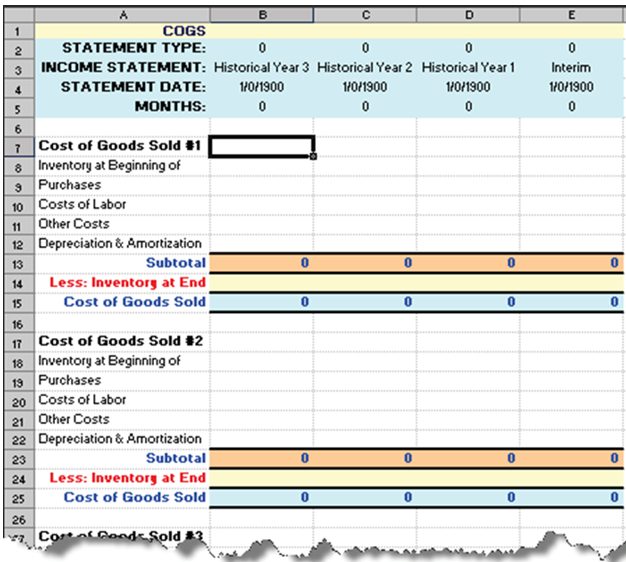
Note the following:
- The Statement Type, Statement Date and Months headers are automatically populated by information in the Spread Setup tab and cannot be edited.
- You are able to enter information in:
- Historical Year 3 (column B)
- Historical Year 2 (column C)
- Historical Year 1 (column D)
- Interim (Column E)
- All Subtotal, Cost of Goods Sold and Total Cost of Goods Sold values are calculated by TSoftPlus.
If there are values present in Total Cost of Goods Sold, these values are automatically carried over to the Profit and Loss - Historical sheet.