Importing Loans
Data must first be in an XML format that conforms to our Import schema, which can be found on our Software support web site.
Data must first be in an XML format that conforms to our Import schema, which can be found on our Software support web site.
Importing Loans
Note:
Important: When importing transaction data, you can
only import similar types (Organization, Jurisdiction, and Program). You cannot
import combined types simultaneously. The XML files you will be importing should be
organized by type before beginning the import process
To import party and transaction data into TSoftPlus:
- From the TSoftPlus submenu, select Import Loans under the
System heading. The Import Loans screen is displayed.
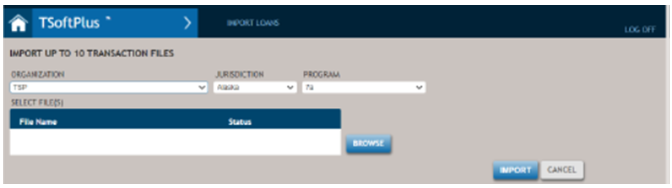
Make sure you are on the Import Loans screen.
- From the Organization list, select an Organization.Note:The Organization list is populated only with those organizations to which you are provided access within your user configuration. Imported data will be associated with this organization.
- From the Jurisdiction list, select the state of jurisdiction that applies to the transaction being imported. This defaults to the address state for the selected Organization.
- From the Program list, select the program type to assign to the transaction. The available policy options are dictated by the selected Organization.
- Select BROWSE to locate the XML file to import.
The Selected Files list is populated with your selection.
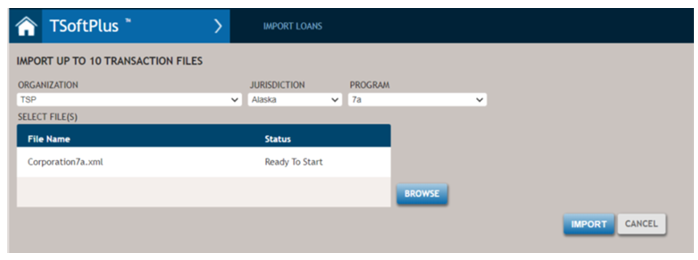
- Select IMPORT to import the selected files into TSoftPlus.Note:
- • If the applicant Business Structure for a given transaction in
TSoft FM+ is either Sole Proprietorship or not specified,
then:
- If no principals are specified, the transaction will not import.
- If only one principal is specified, the principal is created as an Individual Party and added as the borrower to the transaction.
- If more than one principal exists, each principal is created as an Individual Party and all are added as borrowers to the transactions.
- If the applicant Business Structure for a given applicant is an
Entity, then:
- An Entity party is created using the applicant information.
- Individual parties are created for each principal.
- Each principal is assigned to the new Entity party as a Related Party.
- • If the applicant Business Structure for a given transaction in
TSoft FM+ is either Sole Proprietorship or not specified,
then: