Adding a Creditor
- Select +STANDBY CREDITOR on the Parties screen to add a
Creditor.
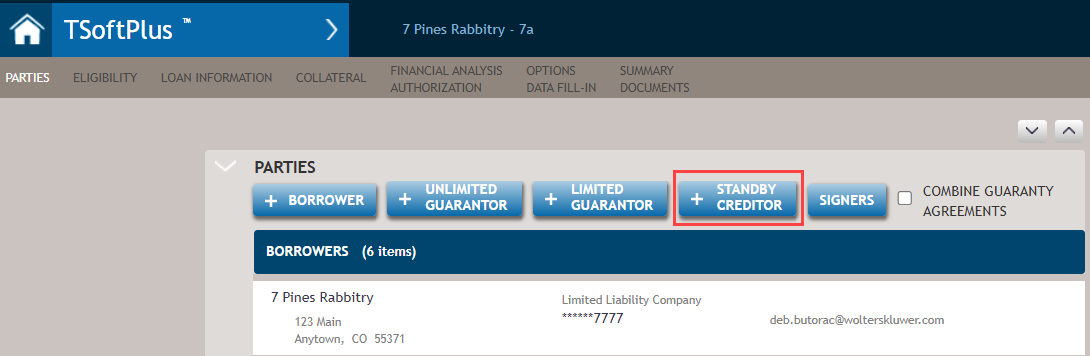
Select an existing party as creditor or create a new one. The Search capability is present.
- Selecting a new or existing party returns you to the Loan Parties page
with the selected party displayed as a Creditor.
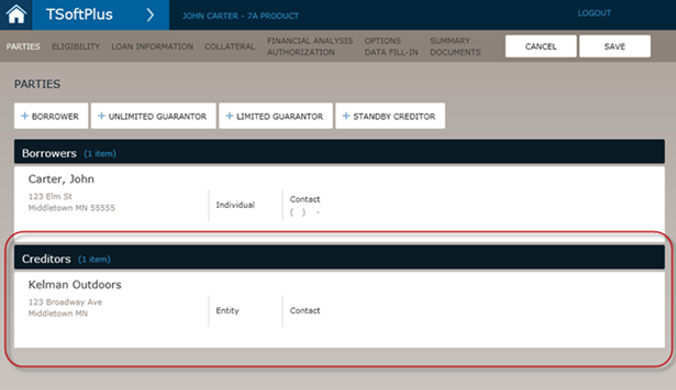
You can add more creditors by again clicking +STANDBY CREDITOR.
Note:
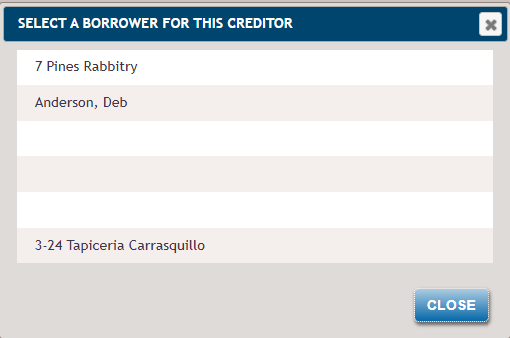
- If there are multiple borrowers associated to the transaction, you are presented with a list of borrowers to select which one is associated to the Standby Creditor.
- Form 155-Standby Creditor Agreement is auto-selected for any Standby Creditor added to the transaction.
- Removing a Standby Creditor also removes the association to the borrower that was selected for the Standby Creditor.