Managing an Existing Loan
- Within the Loan Transactions section of the main menu, select MANAGE
EXISTING LOANS or choose View All in Recent Loans. The
Manage Transactions screen is displayed.
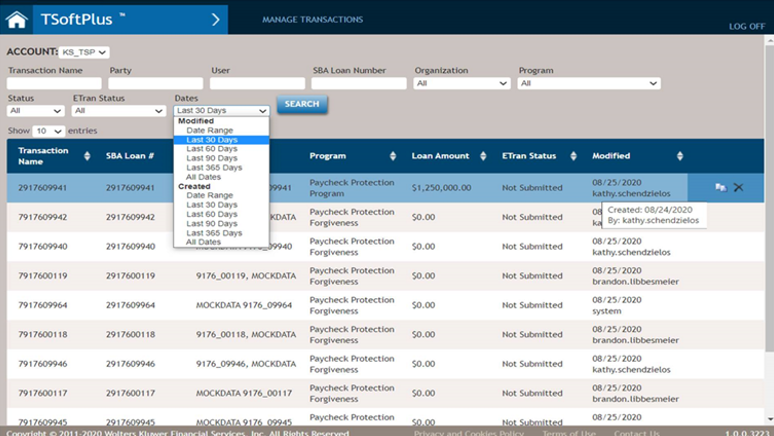 Note:Any transactions created without a borrower added are displayed in the results list with a blank borrower name.
 - To search the transactions the user can:
- Enter criteria in any of the search fields and select SEARCH to limit the number of transactions displayed, or
- Browse through the list of all transactions by using the page navigation
buttons.

- Click on the desired transaction to begin managing the loan. The Loan Parties screen is displayed.
- To delete a transaction, hover over it and click the Delete icon on the left.
- To copy a transaction, hover over it and click the Copy icon on the left.
- Sort columns in ascending or descending order using the up/down arrows by the column headers.