Adding a Borrower
Note:
Adding a Sole Proprietor or Individual borrower as a
guarantor is not required.
- Access the Borrowers information by:
- Selecting the + BORROWERS button on the Parties screen, or
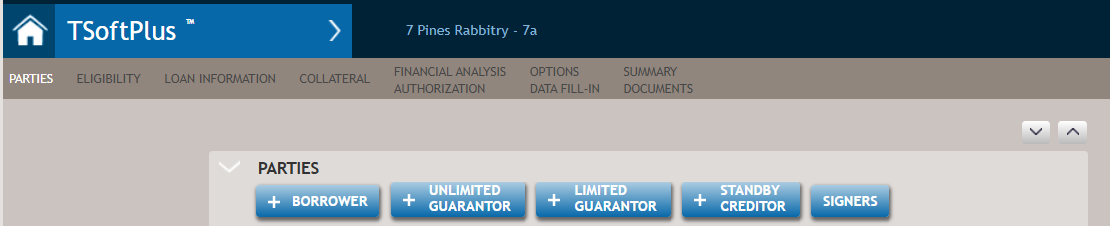
- Selecting the PARTIES link on the submenu at any time that the
submenu is visible.Note:
- If the loan is for an Eligible Passive Company/Operating Company (EPC/OC ) situation, the EPC borrower must be added as the first borrower in order for documents to generate accurately. This is because there are various documents that only have fields for one EPC or one OC, not multiple. Also, for the 7a Loan Authorization wizard, it only allows for one EPC and OC. Therefore, structuring the EPC as the first borrower will default the information appropriately in the loan authorization wizard. Individual borrowers and guarantors can be each designated as operating companies when needed.
- If the borrower is an individual/sole proprietorship, they are automatically defined as an owner with the ownership percent defaulted (calculated as 100 divided by number of individual/sole prop borrowers) and the user may override this default percentage in the program.
- Selecting the + BORROWERS button on the Parties screen, or
- Select the +BORROWER button. The following screen is displayed allowing
you to select an existing party as borrower or create a new one.
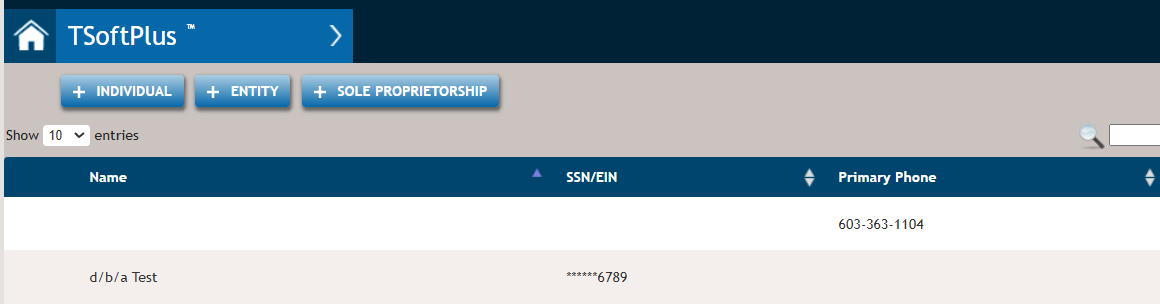
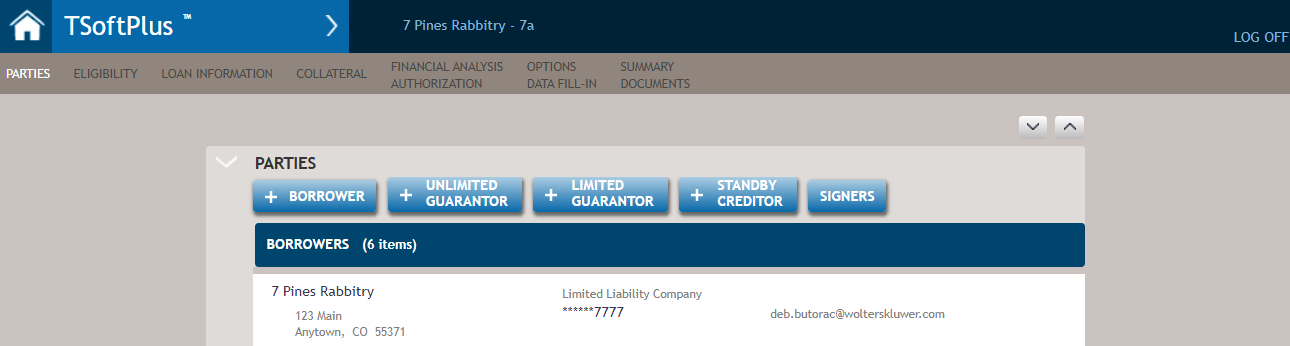
- Select or create a new party. When selected, you are returned to the
Borrowers page with the party displayed as a borrower.
 Note:
Note:- If the loan is for an EPC/OC (eligible passive company/operating company) situation, the EPC borrower must be added as the first borrower in order for documents to generate accurately. Individual borrowers and guarantors can be each designated as operating companies when needed.
- If the borrower is an individual/sole proprietorship, they are automatically defined as an owner with the ownership percent defaulted (calculated as 100 divided by number of individual/sole prop borrowers) and the user may override this default percentage in the program.
You can:- Add another borrower by again selecting the +BORROWER button.
- Edit the associated borrower's information by selecting the party.
- Remove the party from the Borrowers list by hovering over the party and selecting the X.