Quick Quote Screen
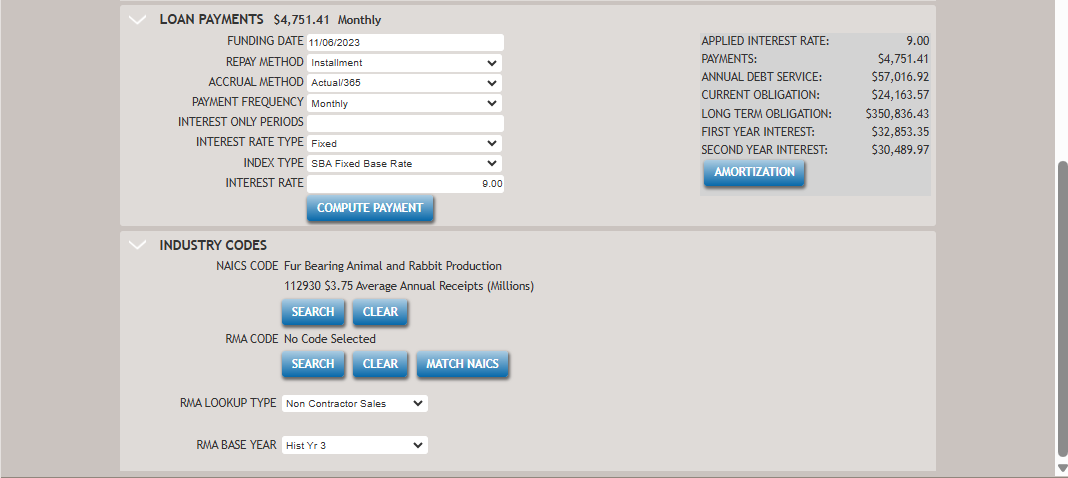
Quick Quotes provide you with the ability to create a quote for a customer with minimal information, allowing you to check NAICS eligibility as well as compute a payment. The quote can then be managed (viewed, edited, deleted) separate from loan transactions or converted to a loan transaction. The following screen displays the Quick Quote screen with all sections expanded.
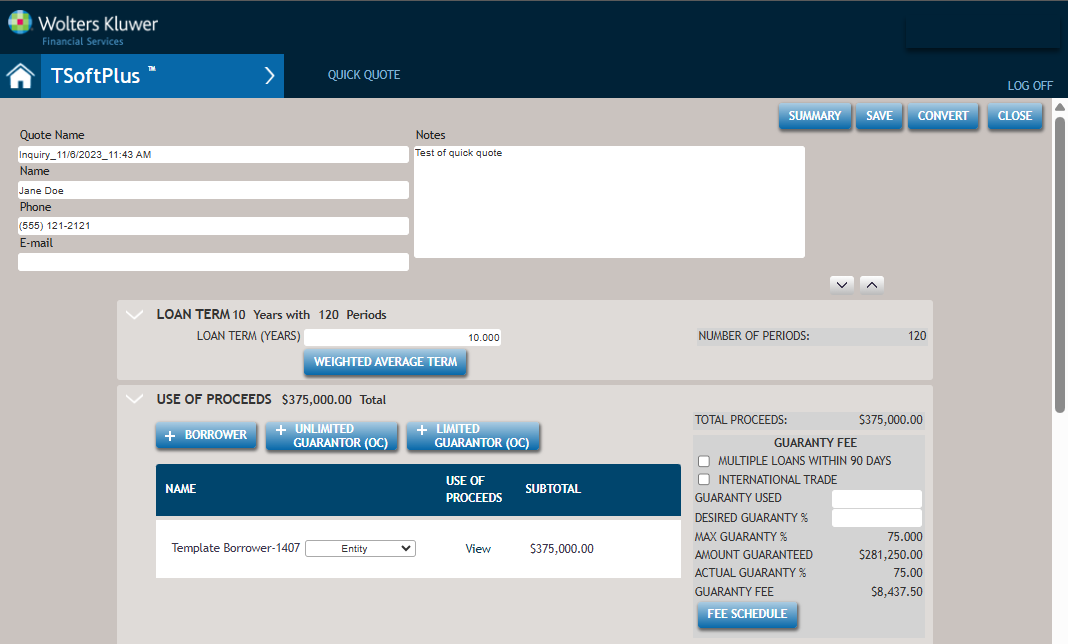
- Quote Name
- Name
- Phone
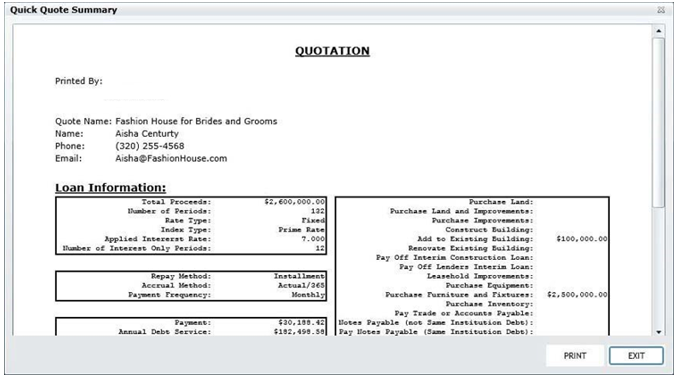
PRINT displays the standard Windows Print dialog, allowing you to print the Quick Quote Summary. Exit closes the Quick Quote Summary window and returns you to the Quick Quote page. Lastly, a short description of the NAICS code and Notes are displayed on the Quick Quote Summary screen. You can print this letter to add in the borrower's loan file.
- Loan Term
- Use of Proceeds
- Loan Payments
- Eligibility Screen (for Industry Codes information)