Debts
The Debts section is available for all transactions and primarily used for 7a loan documents.

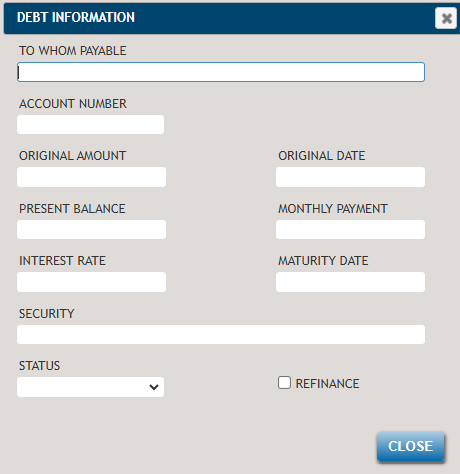
The information entered into the Debt section will flow to the Debt Summary
in the Financial Analysis worksheet.
- To Whom Payable: Enter the name to whom the debt is payable.
- Account Number: Enter the account number.
- Original Amount: Enter the original amount of the debt.
- Original Date: Enter the original date that the debt incurred.
- Present Balance: Enter the present balance of the debt.
- Monthly Payment: Enter the monthly payment amount of the debt.
- Interest Rate: Enter the interest rate of the debt.
- Maturity Date: Enter the maturity date of the debt.
- Security: Enter items by which the debt is secured.
- Status: Choose the status of the debt, Current or Past Due.
- Refinance: Select this box if the debt is for refinance purposes.