Manage Parties Screen
Manage and select Individual, Entity, and Sole Proprietorship parties from the Manage Parties screen.
The Manage Parties screen enables the creation and deletion of Individual, Entity, and Sole Proprietorship parties, and is used to select parties during various tasks.
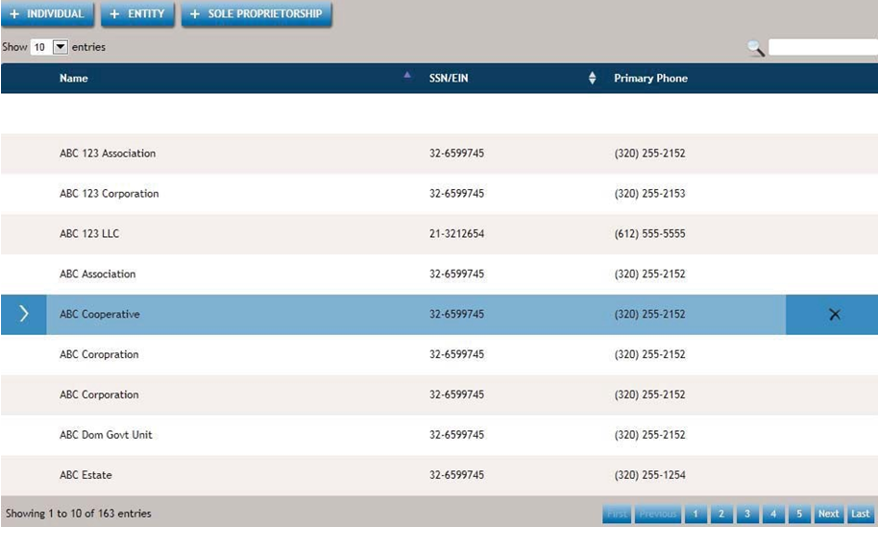
The following list outlines the key features of the Manage Parties screen.

- Enables the creation of a new individual party through the Add Individual Page, which facilitates the process.

- Use the Add Entity Page to create a new entity party.

- Use the Add Sole Proprietorship Page to create a new sole proprietorship.

- You can navigate through consecutive entries and choose how many entries to display per page.

- This feature allows for a full-text search of the party database, including the use of partial words.

- Allows you to specify the number of parties you would like to display.
- Cancel
- Cancels any current activity on the screen and returns you to the previous screen.