Collateral Screen
The Collateral screen, shown below, allows you to assign multiple types of collateral to a loan.
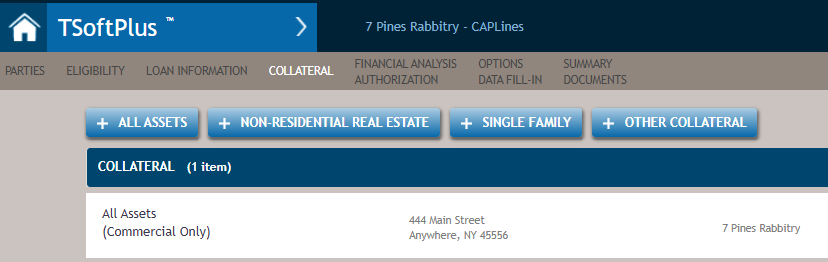
For procedures on adding collateral to a loan, refer to Adding
Collateral. The only fields needed by the program are the collateral
description, address and owners.
Note:
The
collateral data fields, excluding description, address, and owners, will be
necessary when support for the commercial closing documents is added to
TSoftPlus in the future.
Selecting +ALL ASSETS for commercial use displays some or all the following:
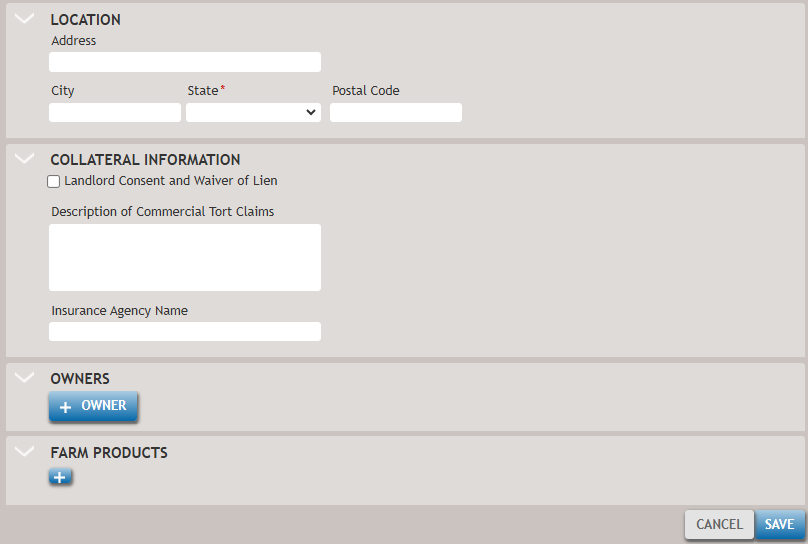
The following list describes the features of the All Assets Collateral Information screen.
- Landlord Consent and Waiver of Lien checkbox
- Select this option to associate the Landlord Consent and Waiver of Lien document with the collateral item. Once selected, the Landlord section will appear, allowing you to enter or view related details.
- Description of Commercial Tort Claims
- Enter a brief summary describing the nature of the commercial tort claim.
- +OWNER
- Displays a list of available parties that may be assigned as the owner of the collateral. To assign multiple owners, click the +Owner button for each additional party. New parties may also be created and assigned as owners directly from this section.
- +LANDLORD
- Displays a list of available parties that may be assigned as the landlord. To assign multiple landlords, select the +LANDLORD button for each additional entry. New parties may also be created and assigned as landlords.
- FARM PRODUCTS
- Selecting the + button lets you add details for each farm product.
- +BUYER
- Only displays for farm products.
Selecting +NON RESIDENTIAL REAL ESTATE displays the following:
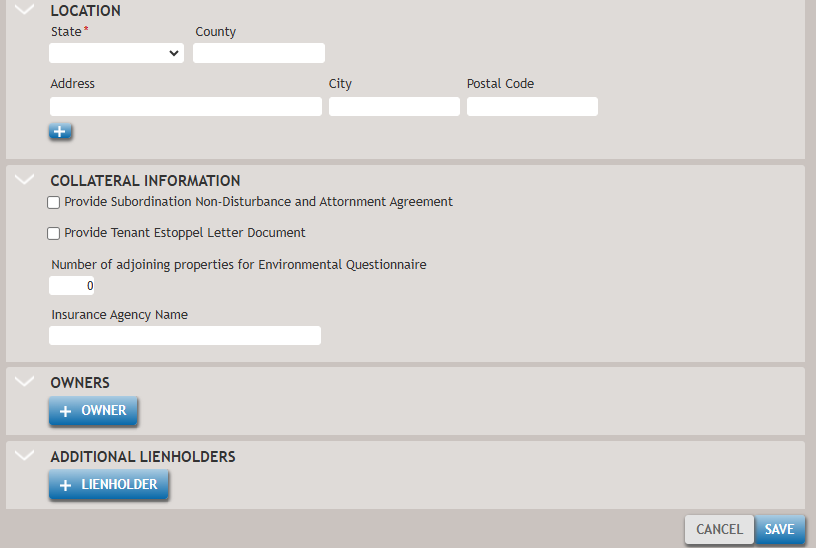
The following list describes the features:
- Location
- Additional address lines can be added by selecting the "+" button.
- Collateral Information
- Document choices and the insurance agency.
- +OWNER
- Displays a list of parties to select from for assigning ownership of the Real Estate collateral. Multiple owners can be assigned by selecting the +OWNER button again. New parties can also be detailed and assigned.
- +LIENHOLDER
- Displays a list of parties to select from for assigning the lien holder of the Real Estate collateral. Multiple lien holders may be assigned by selecting the +LIENHOLDER button again. New parties can also be detailed and assigned.
Selecting +SINGLE FAMILY displays the following:
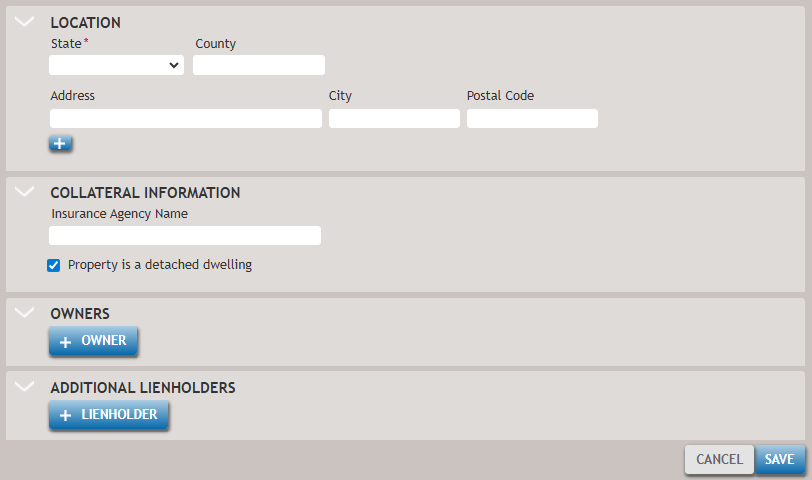
The following table describes the features of the screen.
- Location
- Additional address lines can be added by selecting the "+" button.
- +OWNER
- Displays a list of parties to choose from for assigning the ownership of the Real Estate collateral. Multiple owners can be assigned by selecting the +OWNER button again. New parties can also be detailed and assigned.
- +LIENHOLDER
- Displays a list of parties to choose from for assigning the lien holder of the Real Estate collateral. Multiple lien holders can be assigned by selecting the +LIENHOLDER button again. New parties can also be detailed and assigned.
Selecting +OTHER COLLATERAL displays the following:
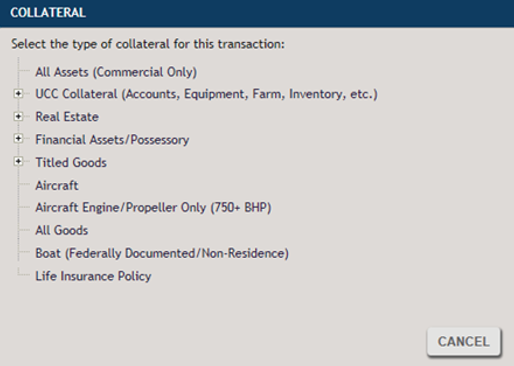
You can access additional specific types of collateral by selecting the "+" sign. Fields and information required by each collateral type will vary. Ensure all collateral descriptions are complete.