Importing the updated XTemplate into Requirements Editor
- Open the Requirements Editor.
- Open an existing static document REQ file.
- From the Requirements Editor menu, select Static > Import
XTemplate.
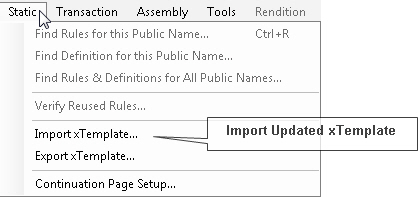
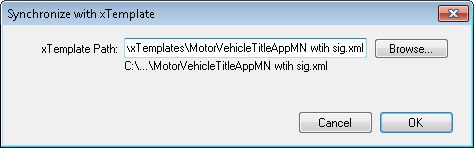
- You will be prompted to browse to a folder to select the XTemplate to import.
Select OK.
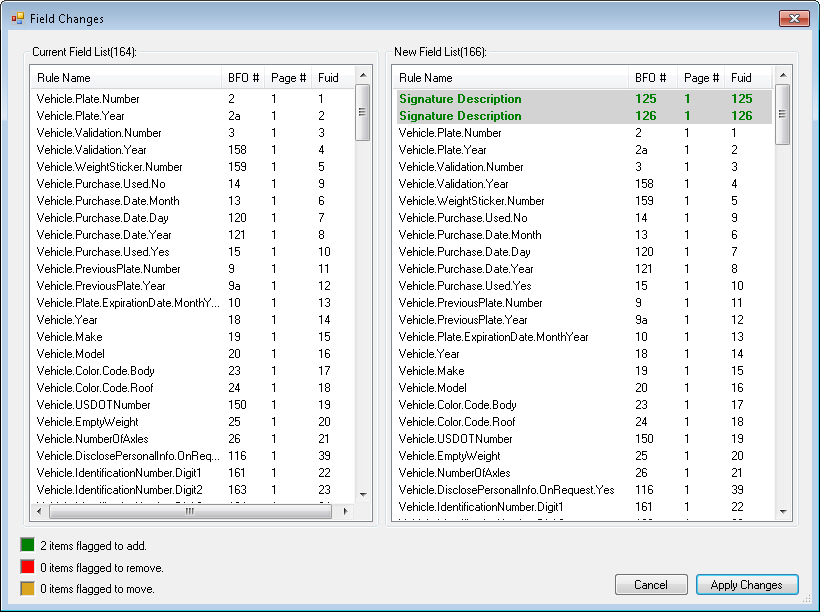
- A new window appears showing the field changes between the current XTemplate and
the updated XTemplate. Review the changes (new signature and/or image fields)
and select Apply Changes. This process retains all of the existing
PTRs.
- Edit the new fields in the PTR or Field Grid. See Modifying the PTR for the Signature Areas - Static/PDF.