Duplicate PTRs Report
The Duplicate PTRs Report allows you to view existing duplicates of PTRs in a single spreadsheet. This is helpful for easing Field Grid clean-up activities and maintenance processes.
The Duplicate PTRs Report is available by selecting . The report is generated in an Excel format with all data from the Field
Grid columns preserved (in similar fashion as the Export Field Grid
command). Only rules that have at least one duplicate are presented in the report. An
example report is shown below.
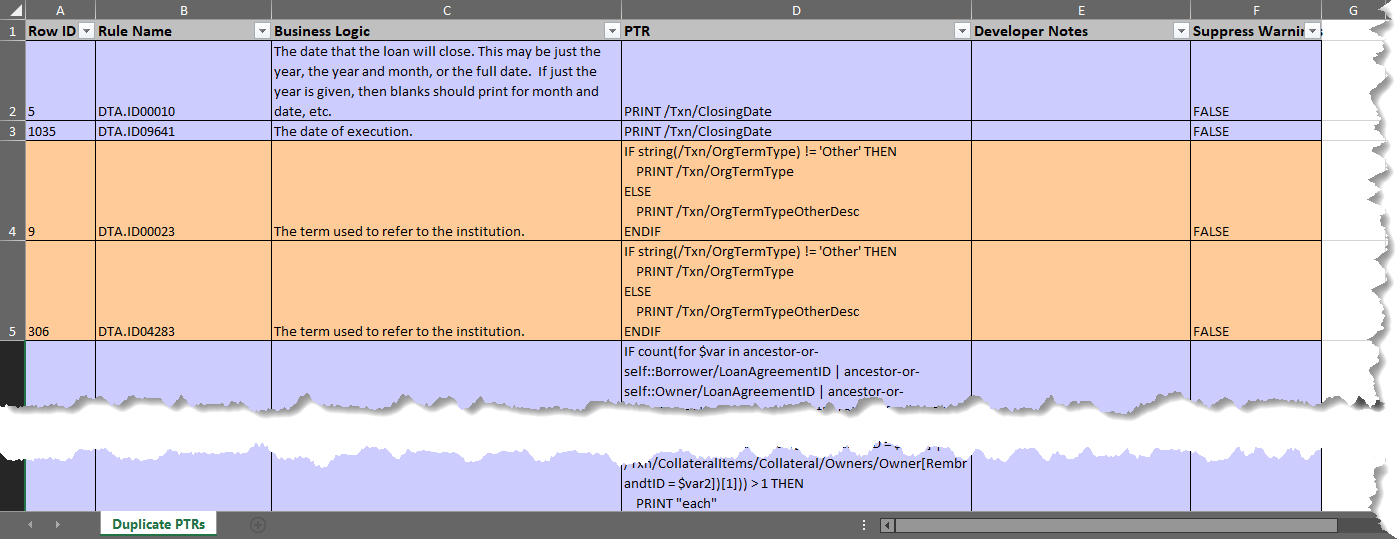
The Row ID and Rule Name columns are provided to help identify the reported duplicates within the Field Grid tab.