SignatureSection Element
Base content normally uses a ContentReference to pull common signature sections into the document. Implementing special formatting in the SignatureSection will require changes and/or updates to the SignatureSection. Consideration should be given to creating new common signature documents that include the desired formatting to be referenced into the documents, or implementing the SignatureSection directly in the REQ itself. For purposes of the visual examples in this documentation, we will implement the updates directly in the REQ itself.
 SignatureGroup
 Signature
 Signature
 SignerTitle
 [Printed Name]
SignatureGroup Element
The SignatureGroup element is used to group multiple signatures together or group EntityName and Description with a signature. There can be multiple nested levels of SignatureGroups.
- Choose: Used to present a single-selectable option for the SignatureGroup
- Condition: When using this element, in order for the content to appear the PTR needs to meet the INCLUDE statement.
- ConditionInverse: Opposite the Condition, when using this element, if the PTR does not execute the INCLUDE statement, content wrapped in this element will appear.
- EntityDescription: Used to describe the entity (ex. a Minnesota corporation)
- EntityName: The name of the entityNote: Special characters are not allowed as part of the EntityName value. If invalid characters are entered, a message will appear indicating the use of invalid characters and will prompt you to change the value.
- InactiveContent: Used to contain obsolete content, or content that otherwise you wish to retain but not publish.
- InternalDocSource: Used to indicate the source of the content being
referenced.Note:
- InternalDocSource is available only if the Content Type is set to Common File within the Document Properties.
- InternalDocSource can be added as a child element under the Choose element only when SignatureSection is an ancestor element.
- Iterator: Allows you to repeat the content multiple times
- Note: Used to add additional information concerning the SignatureGroup
- Para: Used to insert content within the SignatureGroup. This element provides access to all standard child elements.
- RestoreScope: Allows you to restore the scope of the SignatureSection. You must provide a name in order to identify the RestoreScope element.
- SaveScope: Allows you to save the scope of the SignatureSection. this allows youi to iterate over another element and restore the scope afterwards.
- Signature: Used to create a field for the actual signature
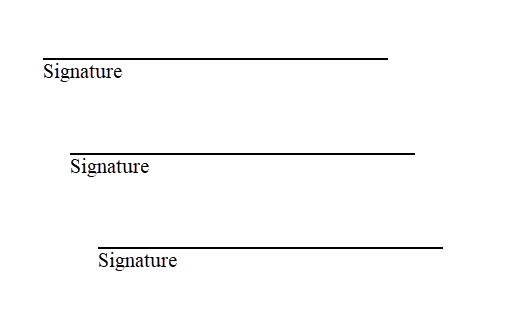
- SignatureGroup: Allows you to create a nested SignatureGroup elementNote: A SignatureGroup under an iterator with the recursive attribute set to yes displays as indented. The first signature line is not indented, and each child signature is indented from the parent.
- Title: Used to provide a title for the SignatureGroup