Instance Properties in Documents
The proper usage of Instance Properties inside discrete and static documents.
Instance Properties allows you to indicate specific print instruction that are needed at
a document level, these properties are:
| AttachmentInstructions | Allows you to input specific instruction for any attachments that are required. |
| AttachmentRequired | Boolean value to indicate that there is an attachment required. |
| BRE | Boolean value indicating there needs to be a Business Return Envelope (BRE). |
| ColorPaperColor | Allows you to select a specific color of paper the document needs to be printed on. |
| ColorPaperRequired | Boolean value if the document is to be printed on color papered. |
| CustomerPrintingInstructions | Allows you to add specific instructions for the customer when printing the document. |
| CustomerPrintingRequired | Boolean value to indicate to the customer they are required to print a document. |
| InsertInstructions | Allows you to specify specific instructions for any inserts that are needed. |
| InsertRequired | Boolean value that indicates if there is an insert required. |
| PrintingOption | Provides four different ways to print the document on the paper:
|
| RecordingInstructions | Allows you to specify instruction to how the document needs to be recorded. |
| RecordingRequired | Boolean value to indicate that the document has to be recorded. |
| RegistrationInstructions | Allows you to indicate any specific instructions on how the document has to be registered. |
| RegistrationRequired | Boolean value to indicate that the document needs to be registered. |
Note: Print fulfillment is only through Wolters Kluwer.
Dynamic Document Instance Properties
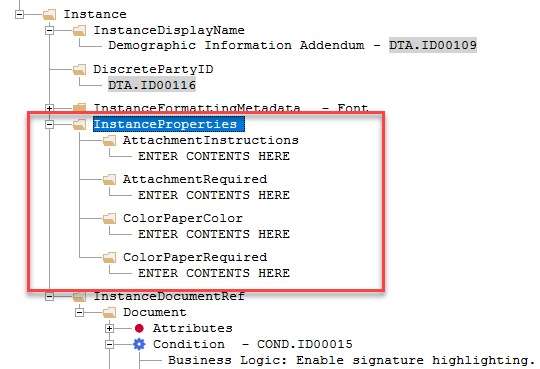
While inside a dynamic document, you can add the InstanceProperties under the
Instance Element. Here you can add the different child elements listed above. After
the element is added you have the ability to modify the boolean or text values.
Note: Existing attributes that are not
converted will remain supported for the foreseeable future.
Converting Instance Properties
To allow for conditional values for attributes of existing Instance Properties, you can convert them to elements. This allows you to provide conditions for any of the properties.
To convert existing attributes to elements, select Convert Attributes to
Elements from the Instance Properties context menu.
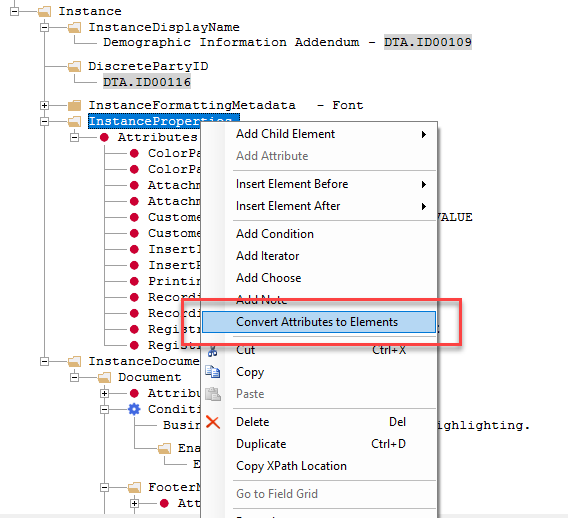
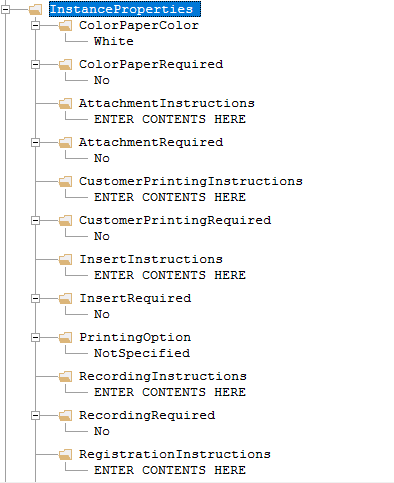
Using this command causes all existing attributes to be converted to elements.
Conditions can be applied to each element as desired.
Note:
- The Convert Attributes to Elements command appears only if there are no child elements under the InstanceProperties element and has existing attributes to convert.
- After the existing attributes are converted, they are removed from the document.
Static Document Instance Properties
Static documents have a tab called 'Instance Properties', in this tab you have
access to all available attributes.
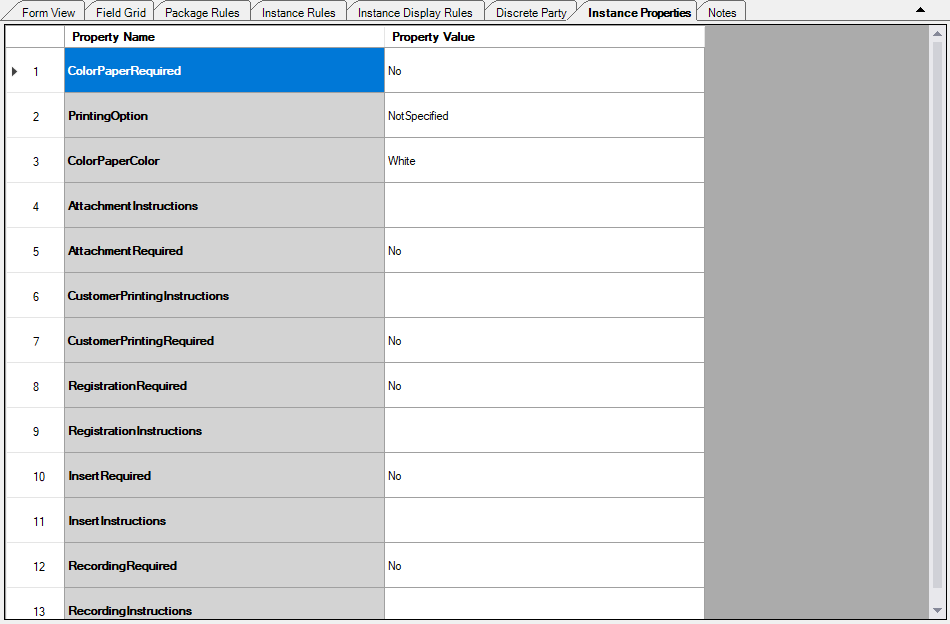
There are attributes that have values already assigned to them. These are the default
values for the specific attributes. Inside the Property Value column are
options to either change the boolean values or add text to the boxes.
Note: Override
functionality exists for elements that are read-only, identified with a gray
background. When attempting to change the value of one of these elements
displays the following
prompt:
Modifying this will create a precedence override on InstanceProperties Element.
Do you want to continue?