Refreshing Schemas
When schemas are updated and how to update them manually.
Schema files are not updated each time a REQ file is loaded. Instead, schema files are updated only when changes to those files are detected, or when you manually refresh them.
To manually refresh schemas, select . The following dialog is displayed.
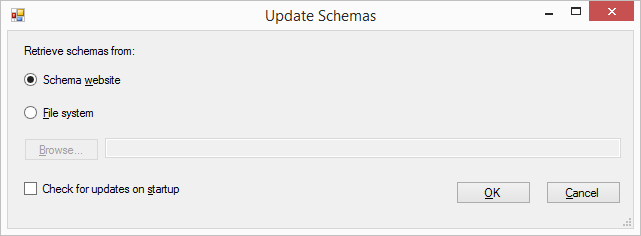
- Schema website: Select this option to check for updates from the default website.
- Custom Schema WebServices: Select this option to get any custom schema, you need to enter in the Custom Schema URL into 'Authoring Web Services'.
- File system: Select this option to browse to a local folder containing schema files.
- Check for updates on startup: Selecting this option initiates a check for updated schemas each time the Requirements and Content Editor is started. Before updating a recognized updated schema, you are prompted if you wish to update the schemas.
Package schemas are stored in Program Files(x86)\Wolters Kluwer\Requirements Editor 3\Extensions\ReqEditor\Resources\Schemas and extracted to C:\Users\user.name\AppData\Local\Wolters Kluwer\RequirementsEditor\3.0\Schemas.