Using the Field Grid to Navigate to a Data Point Location
Navigating using the Field Grid.
- With a requirements file open, click the Field Grid tab.
- In the Field Grid, select the DTA you want to locate and right-click. You can select any field in the row for the target data point whether Rule Name, Business Logic, PTR, et al).
- In the shortcut menu, a list of all locations in the XML where the data point exists is displayed.
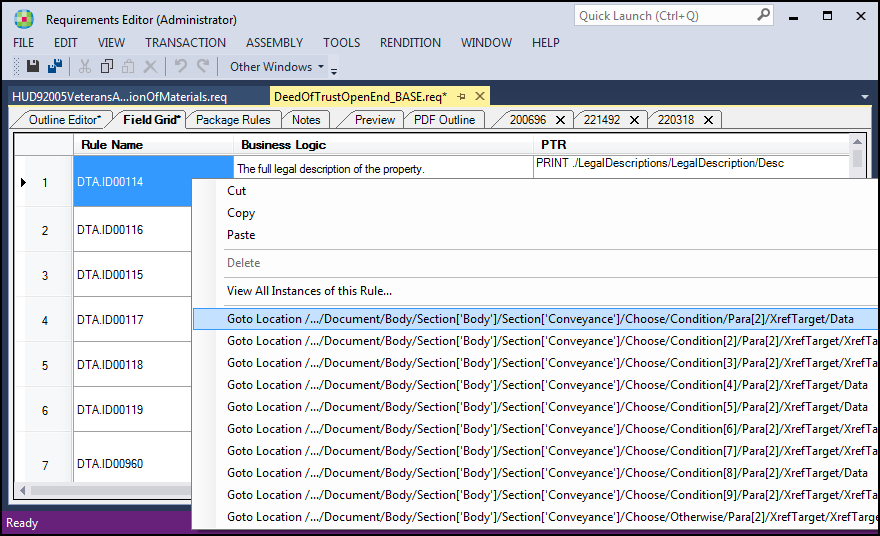
- In the list of Goto Locations, click the target location. Once selected, the Outline Editor displays the data point as it occurs in the file at the selected Goto Location.