Unordered (Bullet) Lists
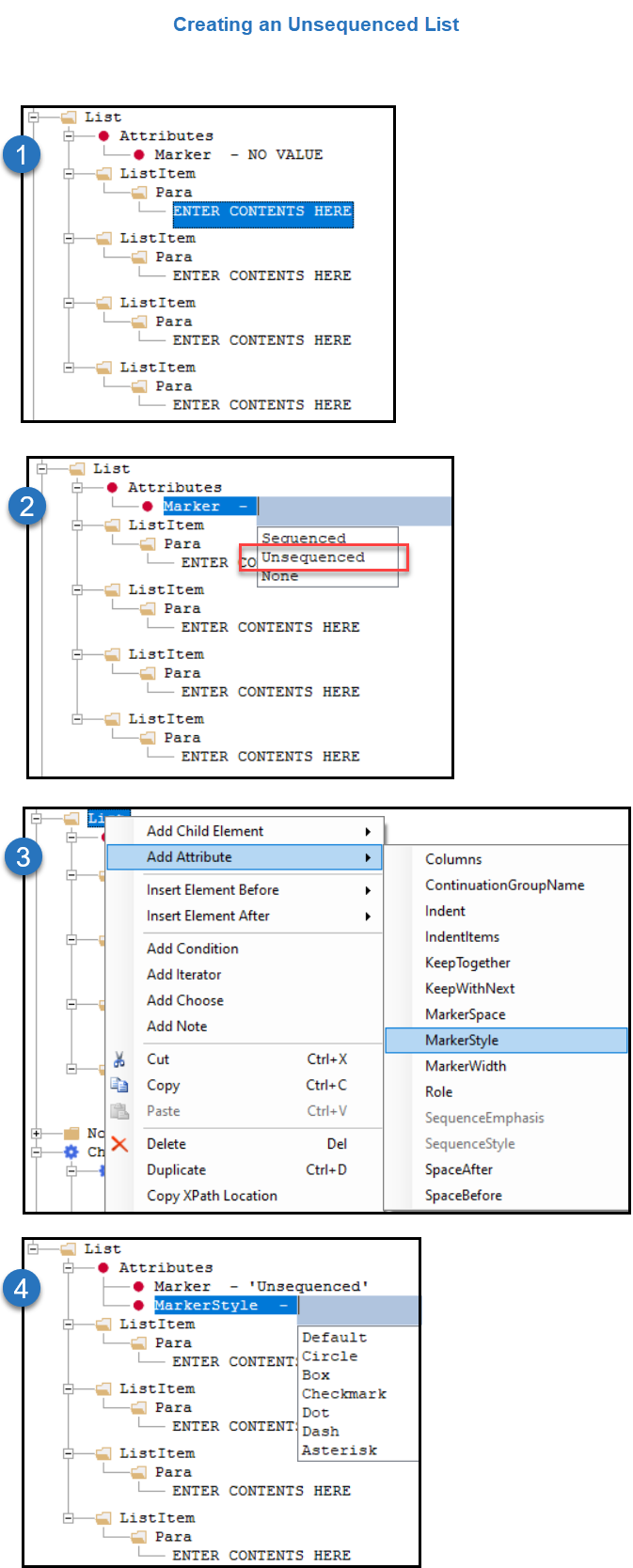
When producing a tagged PDF, unordered (bullet) lists are converted to an image (Unicode 1057) for the rendered PDF. Alternate text is automatically added to check box images as "bullet” so assistive readers announces “bullet’ out loud instead of “dot” to provide context to the list content organization. Unordered (bullet) lists are authored in the .req file with the attribute Marker with a value of Unsequenced (physical dot appears on PDF) or None (physical dot is not visible but indentation styling is applied).
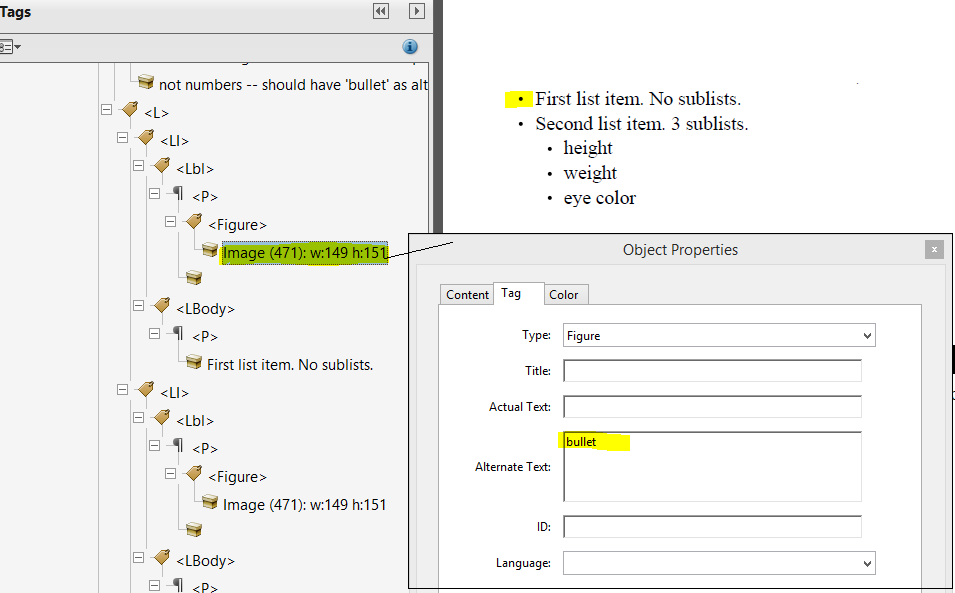
See Unsequenced List and MarkerStyles below for detailed information on adding an unordered and unsequenced list.
Unsequenced List and MarkerStyles
|
 |