Working with Watermarks
Dynamic and Embedded PDF documents support watermarks (i.e. the Watermark ancillary output) when generating a Tagged PDF.
In the Adobe Acrobat tag tree, the watermark appears as a tag of a
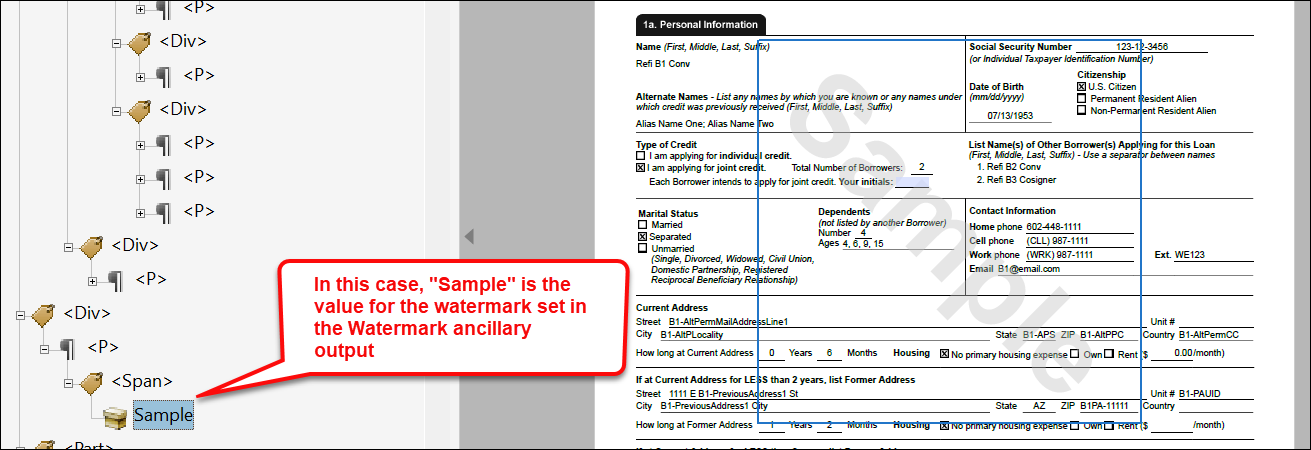
<Div> > <P> > <Span> tag
within the tag tree.In the Adobe Acrobat tag tree, the watermark will contain the following alternate text as
a child of a
<Div> > <P> >
<Span> tag within the tag tree and will be read once per
document:- "There is a watermark on this document with the text of <insert text here>"
(derived from
WatermarkTextwithin the Watermark ancillary output)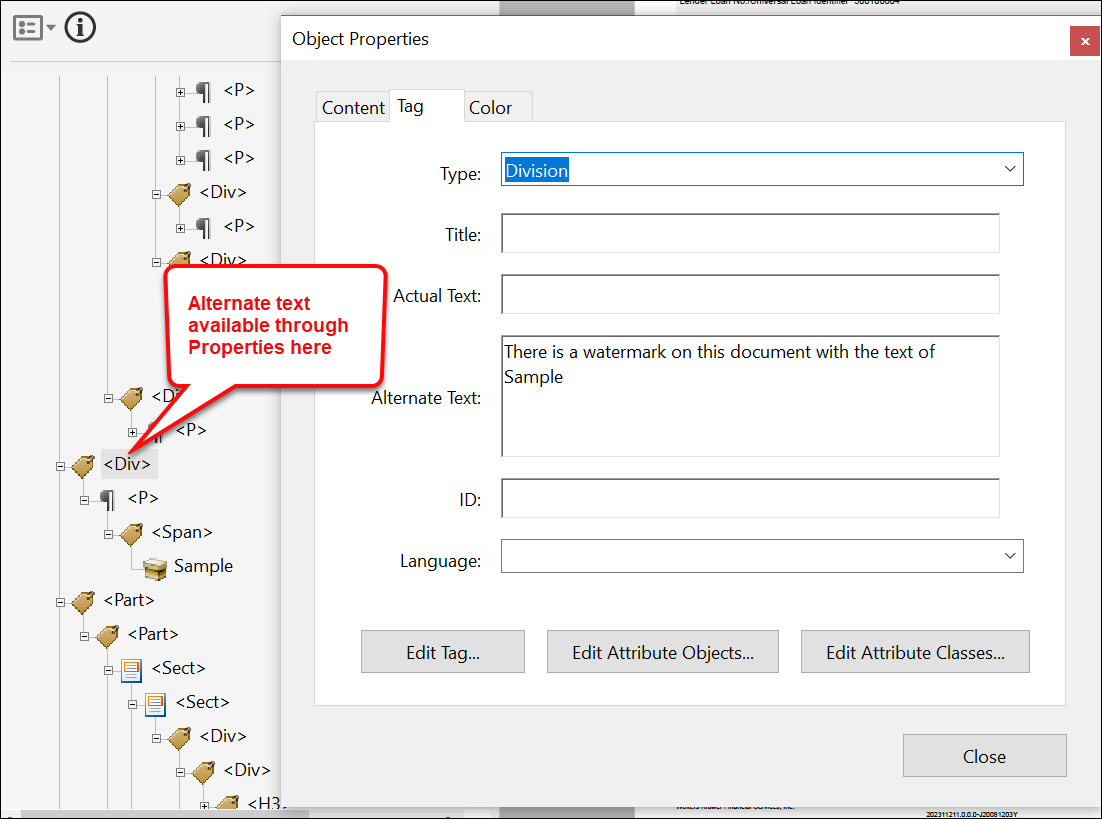
Note: Watermarks that are generated as images do not contain
alternate text and as a result, will not pass an accessibility check.
The watermark will appear in the Adobe Acrobat Content Panel as a child of
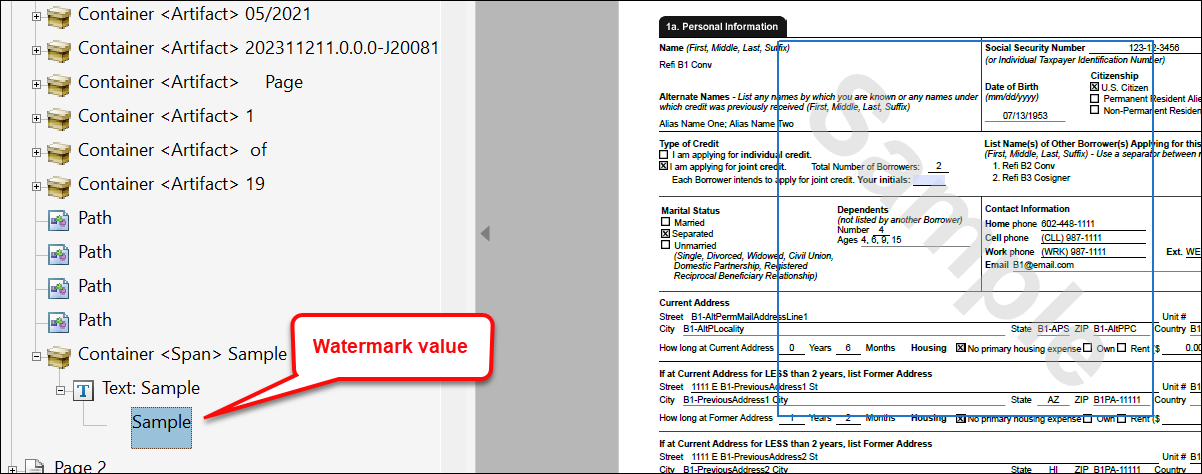
Container <Span> and the subsequent watermark value.If generating a merged PDF containing multiple watermarks (i.e. one watermark per
document), each document's watermark will appear once and will appear as a child of a
<Div> > <P> > <Span> tag
within the tag tree.