Standard PDF and Tagged PDF - important information
This topic identifies known differences that may exist in standard PDF and Tagged PDF outputs.
Note: This is intended to be a comprehensive list and will be updated
as known differences are identified.
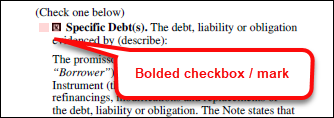
Bolded checkboxes and checks
Checkboxes and checks that are present in Tagged PDF outputs appear as bolded.
- Standard PDF's: Standard PDF documents display a check and checkbox normally; in other words, they are not bolded.
- Tagged PDF's: Tagged PDF documents display a bolded check and checkbox.
Note: Users may notice that in some cases, documents flow
differently between standard and Tagged PDF's due to word positioning discrepancies
that have been identified between the two document outputs.
FOP version display for merged PDF's
Users can access the Apache FOP version used for merged PDF documents in the
Document Properties dialog box > Custom tab; the FOP version will
appear under the Value column.
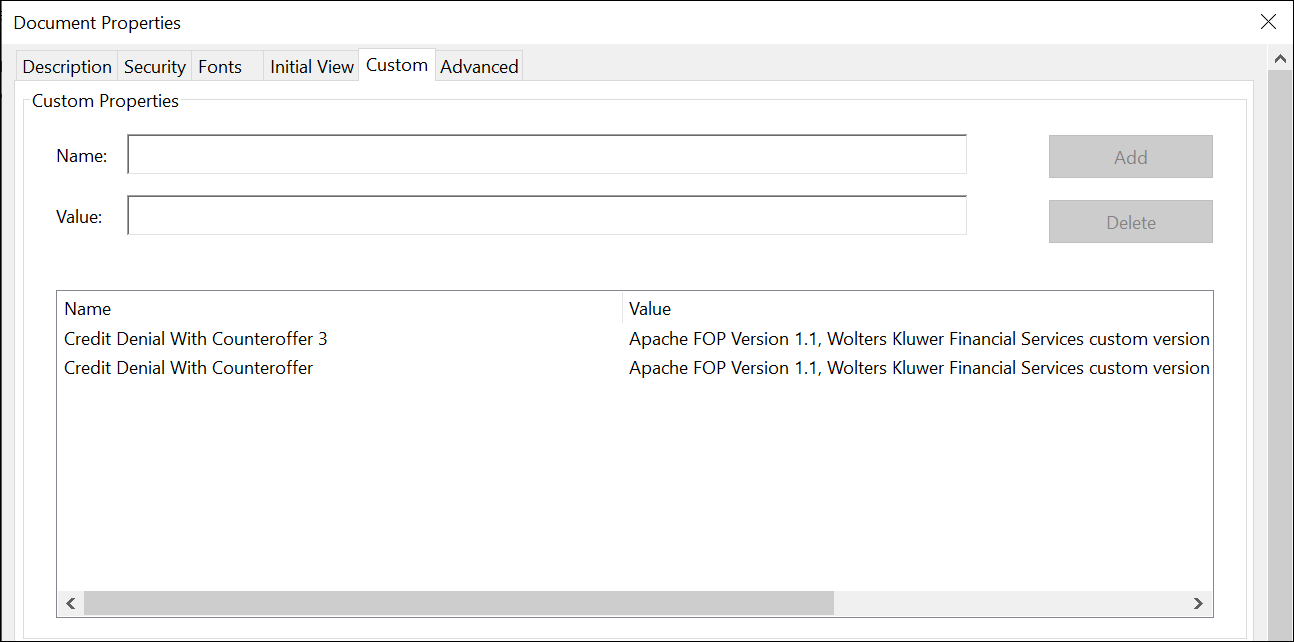
Note: The value used in the Name column is derived from
the InstanceDisplayName value authored in the native .REQ file.
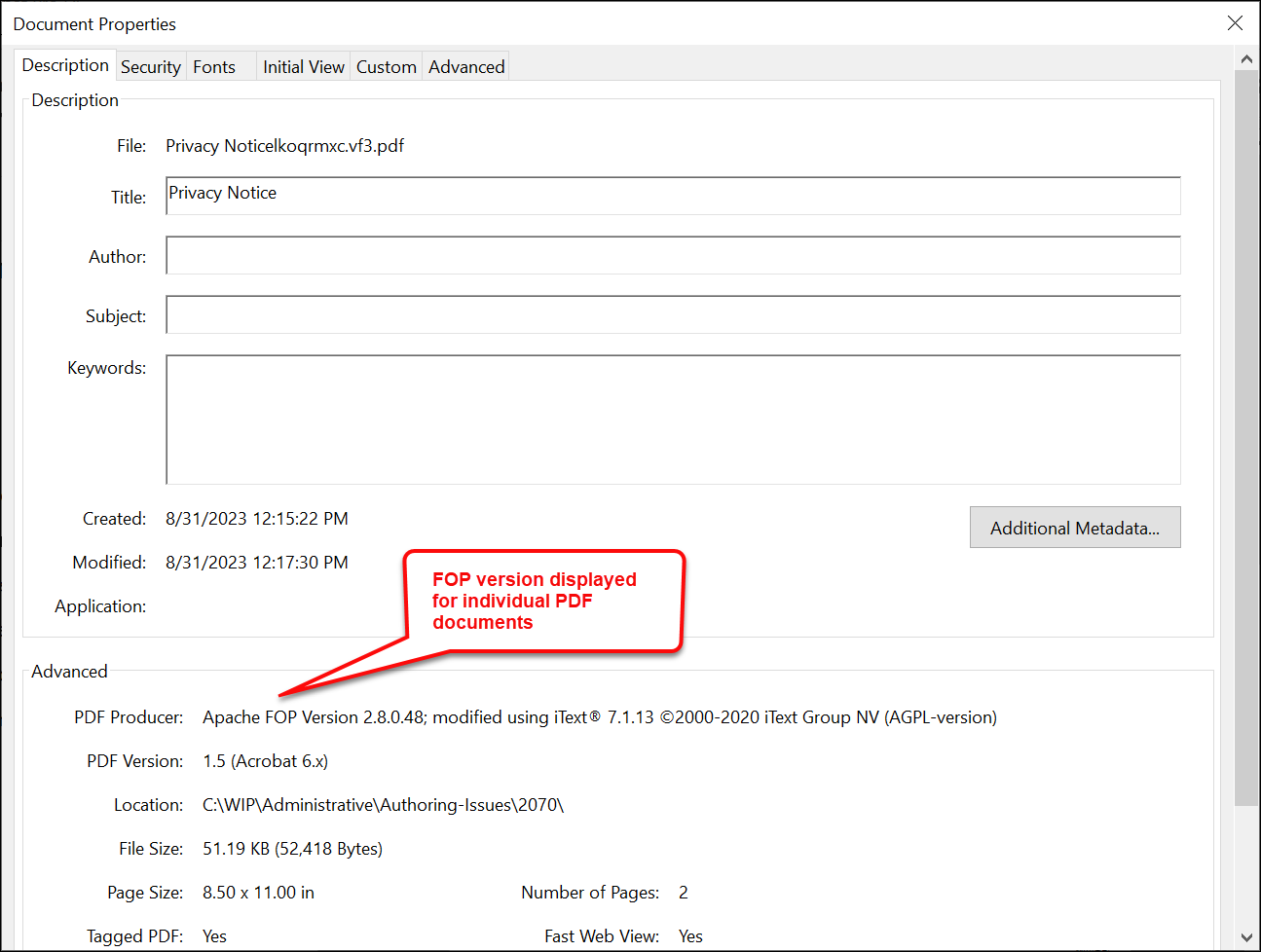
The FOP version used for individual documents is available through the PDF
Producer field accessible through Adobe Acrobat > Document Properties
dialog box > Description tab
Space reserved for Tagged PDF documents
When generating a Tagged PDF document, users may notice that extra space is reserved
for certain lists that were empty, for example: bulleted lists and series of
checkboxes. This is a known behavior that occurs when generating a Tagged PDF
document; however, this extra space will not be present when generating a standard
PDF document.
Note: The REQ file can be authored to validate
if the list is blank or to remove the list element so that the extra space does
not appear.