Setting the Language Attribute
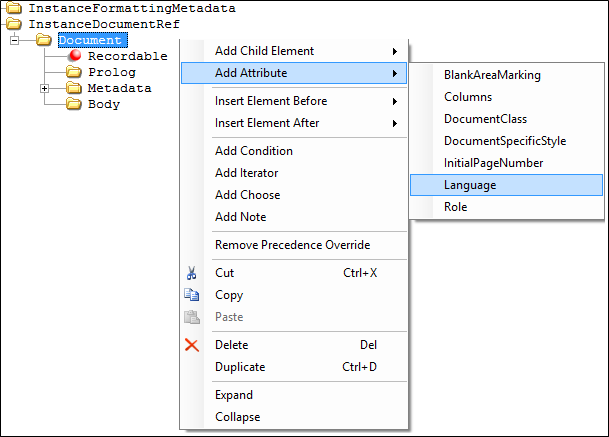
The Language attribute allows the author to define a language indicator in the REQ file that is recognized in the processing instructions for a tagged PDF output. To support tagged PDF accessibility requirements, this enhancement introduces functionality that establishes a default language attribute (defined as English) associated with a generated PDF document.
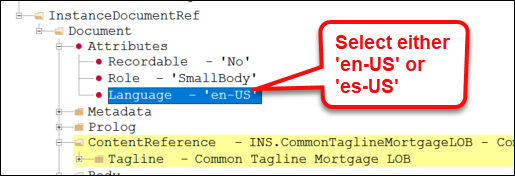
This attribute is established at the document level; multiple language settings within a single document cannot be applied. For tagged PDF accessibility using dynamic documents, two languages are supported at the document level: English and Spanish; however, Embedded PDF tagged PDF functionality supports additional languages at the document level.
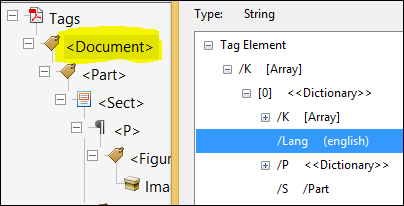
When producing a Tagged PDF (see Creating a Tagged PDF), the /Lang attribute is created by default as part of the Document tag with a value of English if not present in the REQ file. The language attribute value ADAEnglish can be authored in the REQ file but it is not required. For Spanish documents, the language attribute must be specified at the document level in the REQ file.