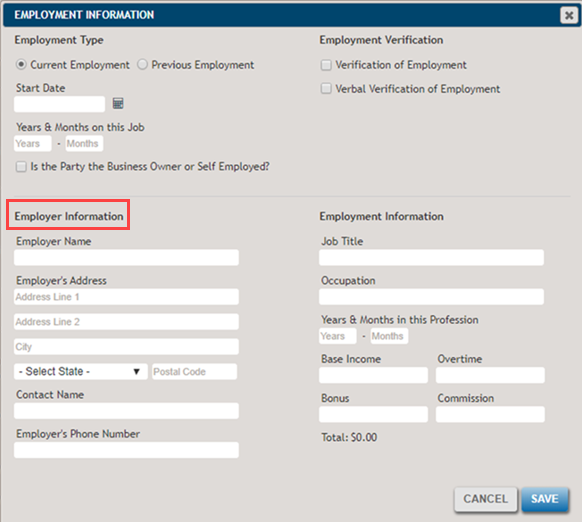
Add Sole Proprietorship Page
The Sole Proprietorship page allows you to create a new Sole Proprietorship party.
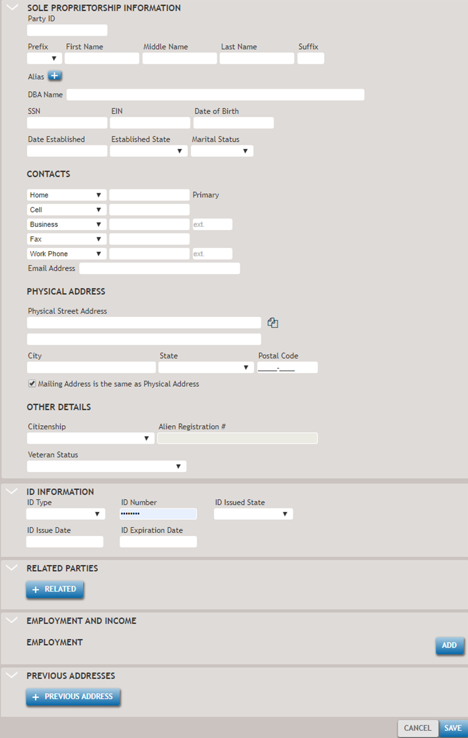
Selecting the +Pervious Address button will display the details of the Previous Address fields.
The following table describes some of the less common features.

- Copies address information from an existing party to the new or modified party
- ID Type
- If Other is selected from the dropdown list, a new field will appear for you to enter a description. The other options for this field include a driver's license, military ID card, passport, state ID, and immigration documentation from the U.S. Citizenship and Immigration Services (USCIS).

- Allows you to associate an existing party.
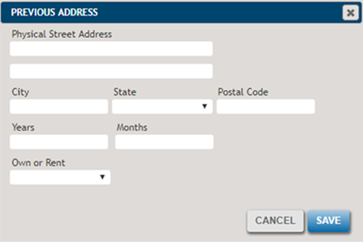
If any fields contain invalid information when you leave the field or select Save, a notification will appear, as shown in the following example.
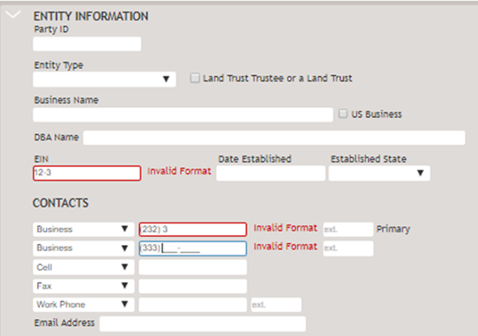
Employment data for sole proprietors who are also owners of the borrowers is entered at the bottom, after the Related Parties section.
To add employment information, select Add button under the Employment and Income section. This will open the employment information screen.