Notes
Working with Notes tab in Requirements Editor.
The Notes perspective allows the author to document activities in
the requirements file for both internal-only and external (public) view. The perspective
presents a grid of pre-defined values that can be entered by the author to provide
reference, guidance, and summary information about authoring activity and changes made
to a requirements file. Notes provided in the Notes perspective are not converted
into content. However, they may be useful to those reviewing requirements files.
Note: The Note element can be used to provide documentation at the
element level.
Notes are not converted into content; however, they may be useful to those reviewing requirements files. Only Citation notes are viewable by the end customer. When authoring a new .REQ file, typically only Citation Notes and Private Notes are used. Citation notes include the cite dictating the content or format. Private Notes can be used to document notes about a discussion that resulted in the content appearing a certain way, or a reminder for the author or reviewer to handle the content a specific way.
The perspective is available by clicking the Notes tab in the
document pane. The Notes perspective is available for both dynamic and static documents.
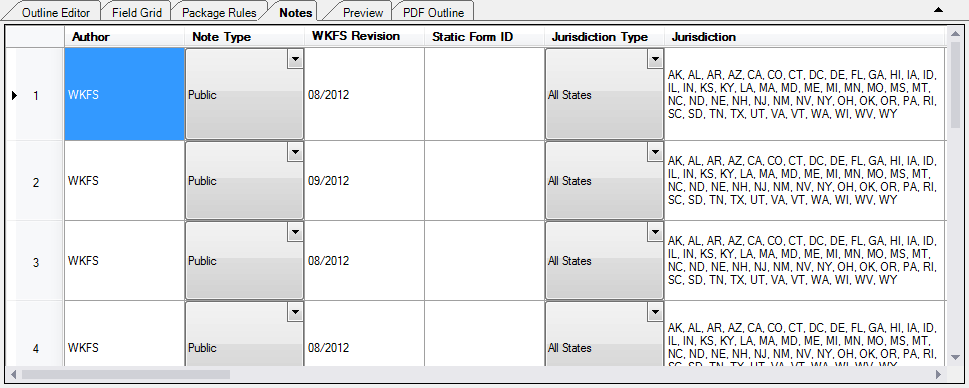
This is an example of the notes perspective in a dynamic document.
Important: The date within the WKFS
Revision column has a format of MM/YYYY. Example: 02/2019.
The date format
is validated. If the value is identified as invalid, the changes to the record
will not save and a notification icon appears next to the record number.

Note: The Cut and Paste commands of the context menu is disabled on
columns containing a gray background to prevent cutting important
information.