Field Grid
Working with the Field Grid tab.
The Field Grid perspective allows the author to scroll through all
data points (DTAs) and identify any invalid rules or missing GDD names/Public names.
This is helpful after the PTRs are complete to be able to quickly scroll through all of
the PTRs and identify possible validation issues. Potentially invalid rules will be
highlighted in yellow, but note that some rules that will not validate in the field grid
are actually valid rules. The Outline Editor perspective is much more accurate for
validating PTRs.
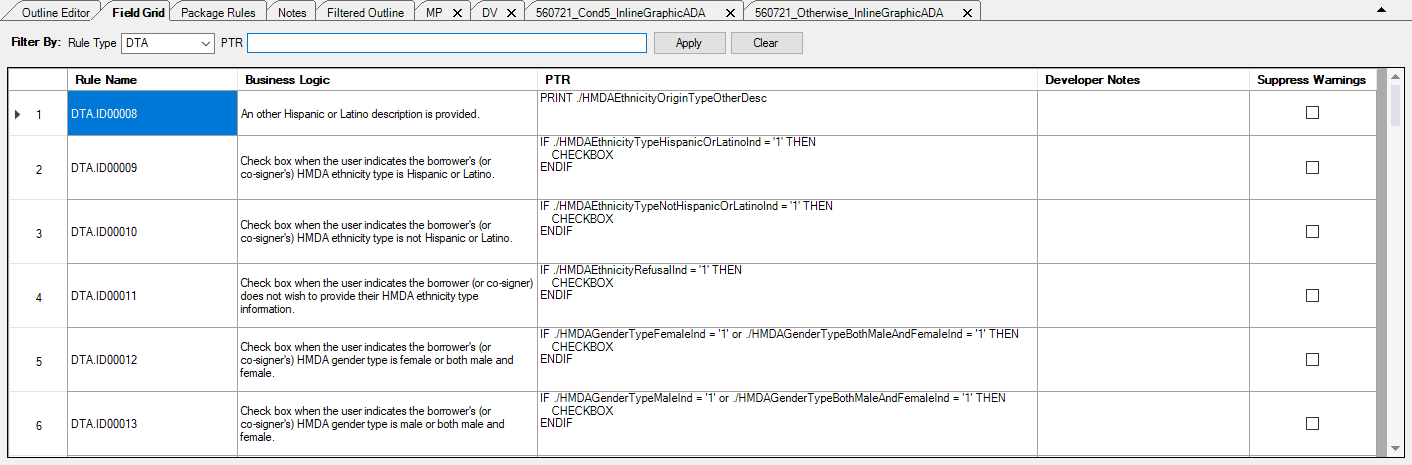
The following features are displayed in the Field Grid:
| Rule Type | Allows you to filter the Field Grid by type. Example: Entering "ITR" in the Rule Type field and selecting Find filters the Field Grid so that only rule names containing "ITR" are displayed. Selecting Reset clears all filter fields. |
| PTR | Allows you to filter the Field Grid by a text string within the PTR
column. Example: Entering "Ethnicity" in the PTR field and selecting Find filters the Field Grid so that rules containing the string "Ethnicity" within the PTR are displayed. Selecting Reset clears all filter fields. |
| Rule Name | A unique ID for each data field entered. |
| Business Logic | A plain English description of the purpose of the data field, or rule. This is not used for EPM content. |
| Product Technical Rule (PTR) | The PTR represents the processing instructions, or code, that defines the behavior of the rule. This is not used for EPM content. |
| Developer Notes | Allows you to add internal notes to a PTR. This information is not customer facing and is stripped out when building the document. Special characters ( <, >, &, ', ") and line returns are honored. |
| Suppress Warnings | When the checkbox is selected, this will allow you to suppress warnings that would come from schema validation during the build process. |
If a property is editable, clicking in the desired cell will allow you to
edit the content.
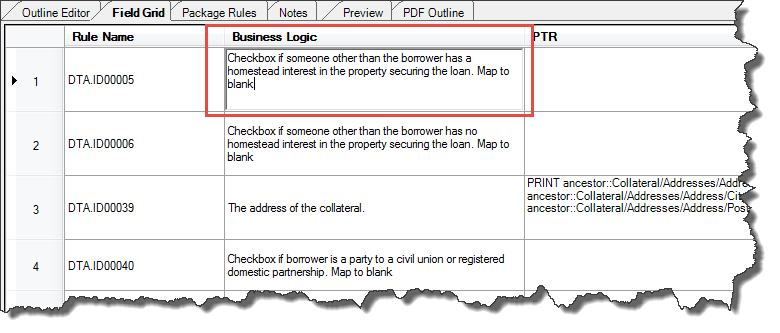
Note: When editing a PTR, an alert appears if you enter a value that already
exists in the document rules. The alert is simply for notification of a duplicate
and the duplicate value is saved regardless.