Assigning a Content ID to an Account
Note: This functionality only currently works with the ComplianceOne mortgage product.
- Select Manage Accounts. From the Selected Product dropdown, select a product. Click Search.
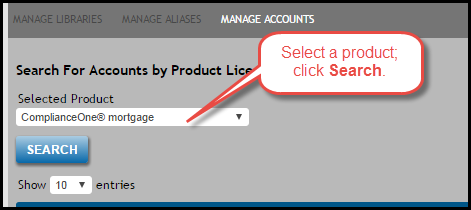
The accounts assigned to that product appear. - Select an account in the resulting search results section to display its Account Name, Account ID, Customer Number, and Content ID fields. Note: Content ID is the only editable field; to make changes to other account-realted fields, access that account in the Administration tool.
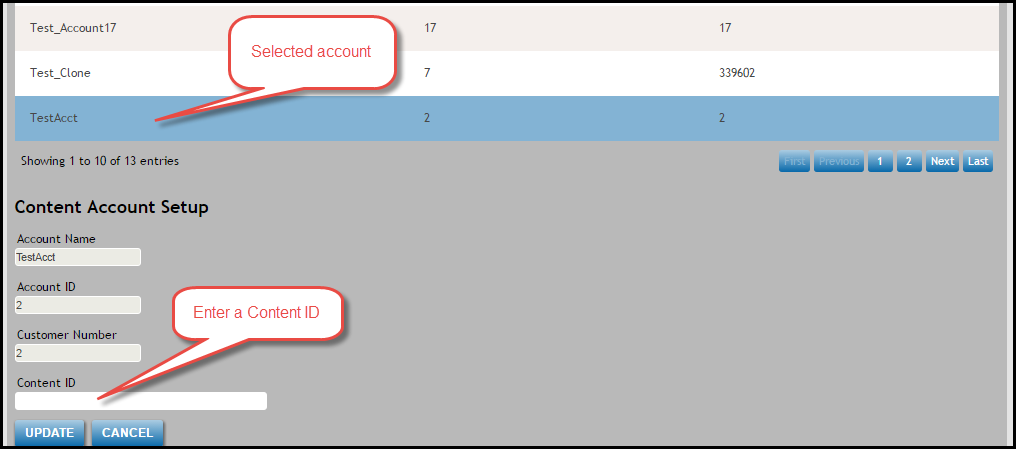
- Enter a Content ID in the corresponding text field. Verify that you have added "ORG." as a prefix to your ID.
- Click the Update button to confirm your changes; click the Cancel button to undo your most recent edit(s) to the Content ID.