Undeploying a Single Library or Multiple Libraries
This section explains how to undeploy either a single library or mutiple libraries.
-
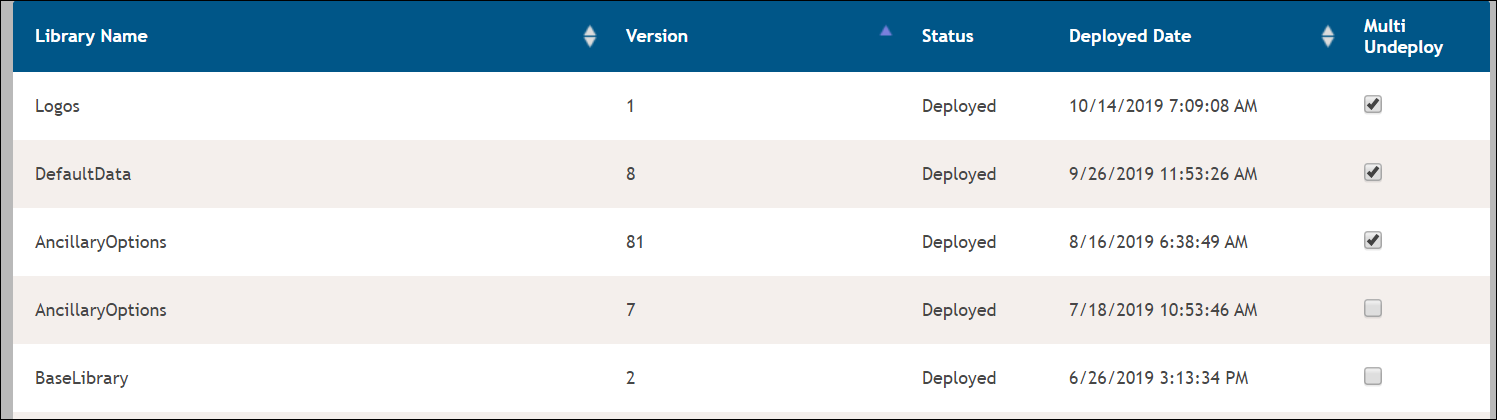
Click the checkbox in the Multi Undeploy column next to the desired
library or libraries.
-
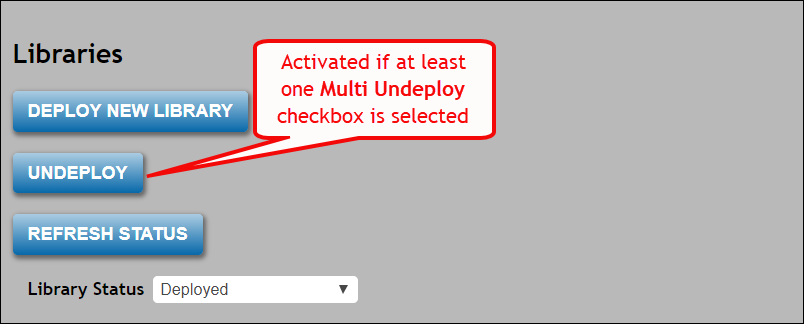
Click the Undeploy button
-
A list of aliases impacted by each library being undeployed appears. Review the
list of libraries that will be removed. Click OK to finalize the library
undeploy process, or click Cancel to return to the previous
Libraries page. A progress indicator appears during the account/alias
gathering process..
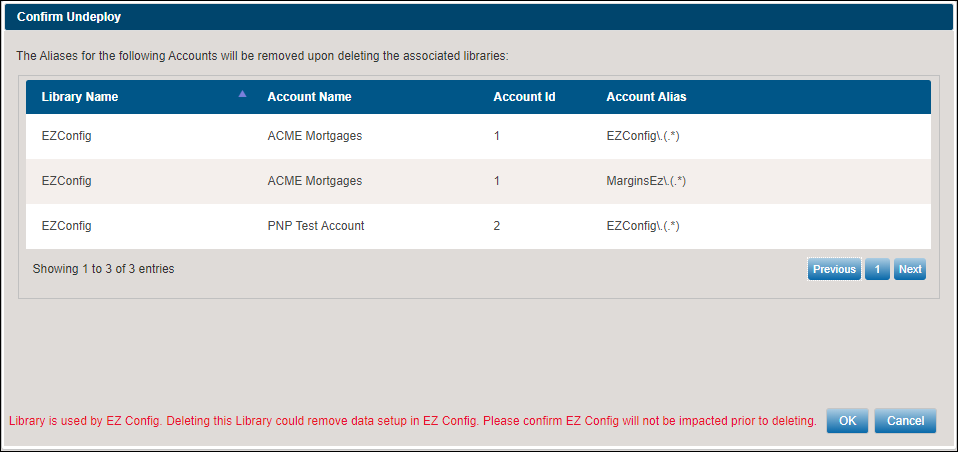
Note: If the selected library has any aliases with existing configurations in EZ Config, DGS will display the following message:Library is used by EZ Config. Deleting this Library could remove data setup in EZ Config. Please confirm EZ Config will not be impacted prior to deleting.