Recent Loans
The Recent Loans section on the Home screen displays the four most recently updated loans, based on their last modified date and time.
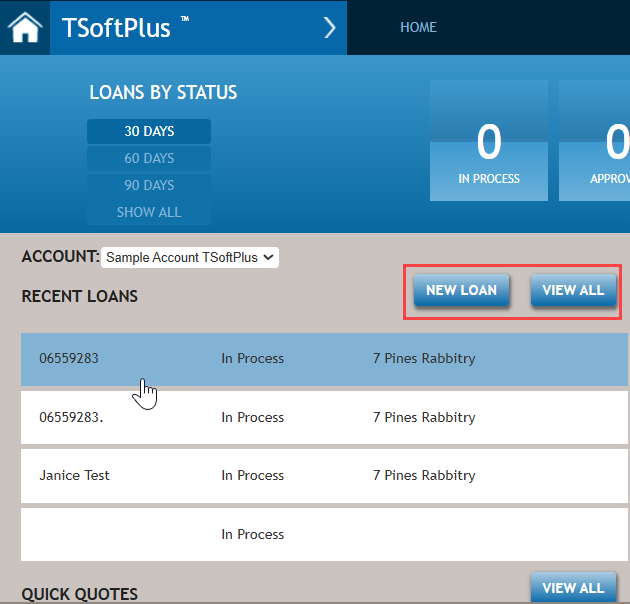
Each item in the Recent Loans list provides a summary of:
- Transaction Name (left side of screen)
- Status (In Process, Approved, Closed, or Inactive (center of screen))
- Borrower Name (Entity or Individual (right side of screen))
When you hover over a list item, it will be highlighted for easy identification. Selecting an item will display the the corresponding page, based on the loan’s current status.
| Loan Status | Page Displayed |
|---|---|
| In Process | Parties |
| Approved | Document Options |
| Closed | Loan Summary |
| Inactive | Parties |
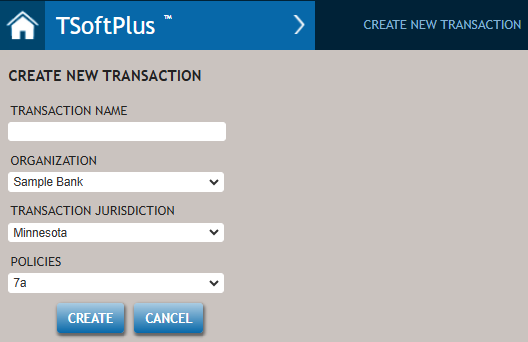
Selecting NEW LOAN opens the Create New Transaction screen.
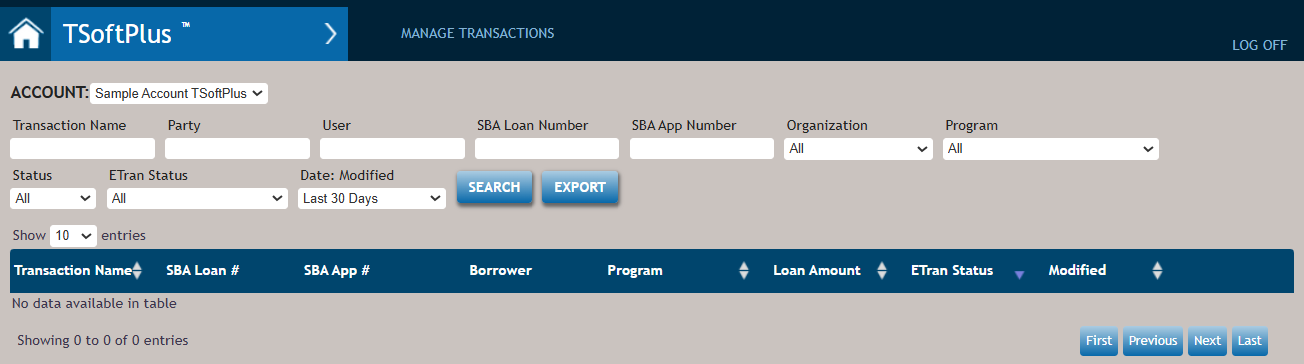
Selecting the VIEW ALL button displays the Transaction Search page.