New Merge Session
After selecting New Merge Session from the File menu, the New Merge
Session dialog is displayed.
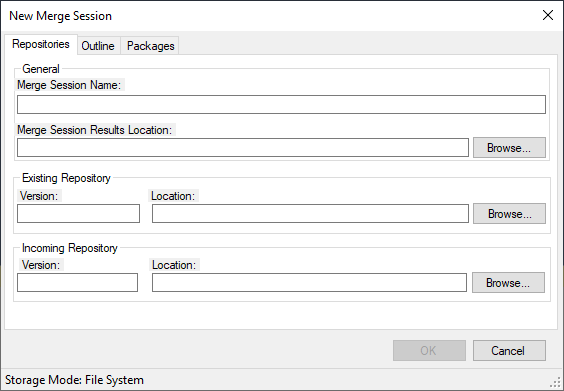
| Field | Description |
|---|---|
| Repositories tab | The Repositories tab allows you to enter important Merge Session locations. |
| General | |
| Merge Session Name | The name of the Merge session. The name you enter becomes the name of the folder created in the Merge Session Results Location. |
| Merge Session Results Location | The location where you want the new merge session to be saved. The session file (*.msession), the analysis files and folders and the Merge Results will be placed in this location. |
| Existing Repository | |
| Version | Optional: Allows you to enter the version of the existing content. This value is presented in the Impact Analysis & User Decision Report. |
| Location | The location of the existing custom repository. This location must contain a valid Organizations.xml file. |
| Incoming Repository | |
| Version | Optional: Allows you to enter the version of the incoming content. This value is presented in the Impact Analysis & User Decision Report. |
| Location | The location of the new repository to be merged to the existing. This location must contain a valid Organizations.xml file. |
| General Tab | The General tab provides access to general options for creating a new Merge Session. |
| Initialize Content References | When selected, the Content References creation process is enabled during the creation of a the new merge session. Also by default, the ContentReferences folder is not created. Selecting this option from the new General tab of the New Merge Window allows the previous functionality to be performed. (Not selected by default) |
| Outline tab | The Outline tab provides options for handling information in the Merge windows outlines. |
| Base Insertion set as Pending when there is an adjacent Conflict | Marks the Base Insertion as Pending if there is a conflict between
the Incoming and Existing repositories. This will then need to be
manually resolved.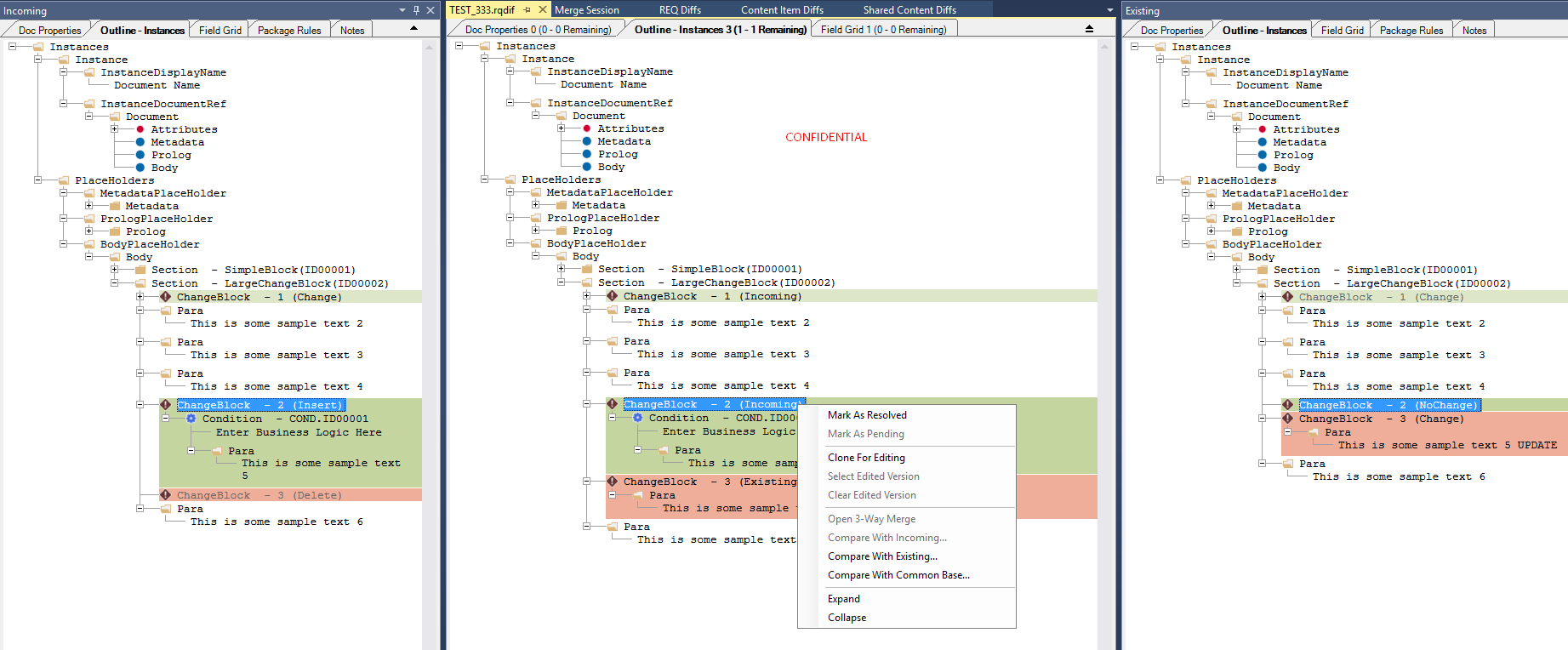 When this
option is selected, the Summary tab of the Impact Analysis
spreadsheet indicates it is enabled. 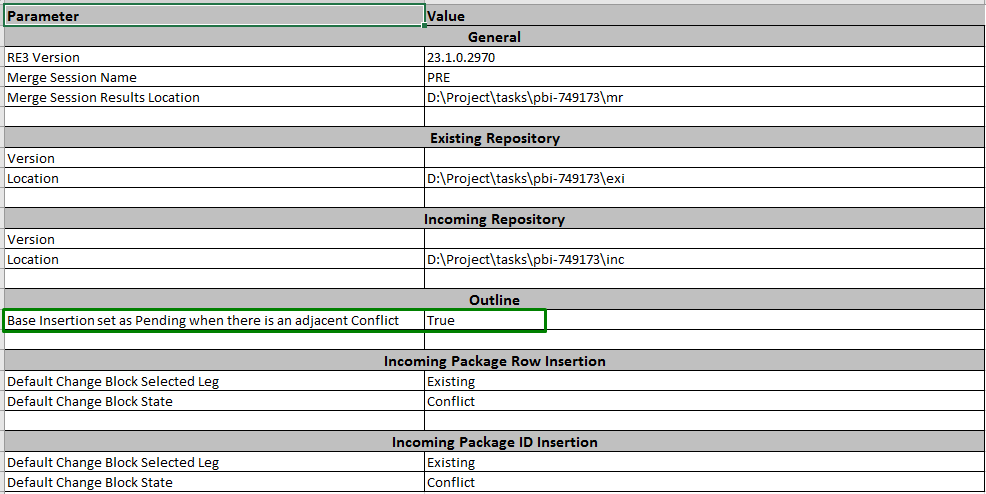 |
| Packages tab | The Packages tab allows you to select how the merge is to handle Package Row and Package ID insertion. |
| Incoming Package Row Insertion | |
| Default Change Block Selected Leg | Indicates which Change Block Selected Leg to treat as default.
Options are:
|
| Default Change Block State | Indicates which Change Block state to treat as default. Options
are:
|
| Incoming Package ID Insertion | |
| Default Change Block Selected Leg | Indicates which Change Block Selected Leg to treat as default.
Options are:
|
| Default Change Block State | Indicates which Change Block state to treat as default. Options
are:
|
When all fields are completed, click OK to begin the Merge analysis.
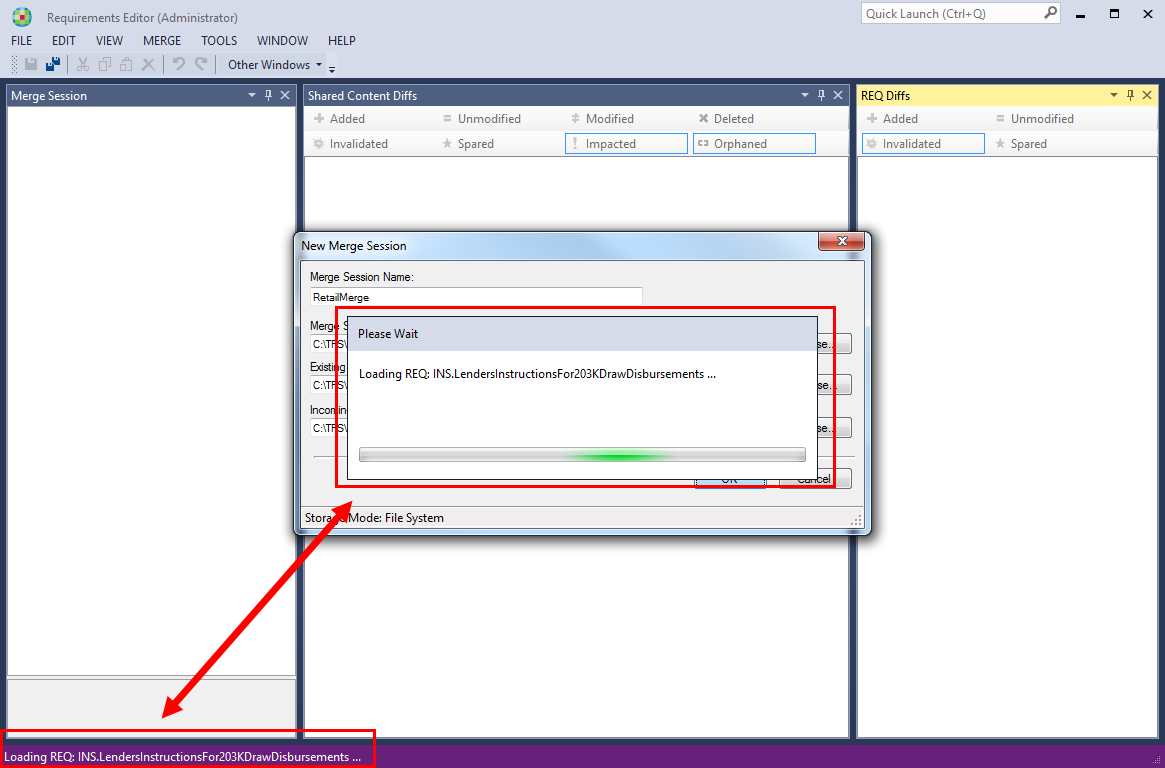
During the analysis process, a progress window is displayed. The progress is
mirrored in the Requirements Editor status bar.
Note:
- The time required to analyze depends on size the of the repositories and the number of customizations and changes.
- When creating a Merge Session, the content of frozen Content References (those that have the updateable flag set to "false") is preserved during the Merge Session creation process.