Merge Toolbars
The following sections provide details for the buttons found within the toolbars accessible to the Merge windows only.
Toolbars can be displayed by selecting View > Toolbars, or by
right-clicking an empty section of the toolbar area and selecting the desired
toolbar.
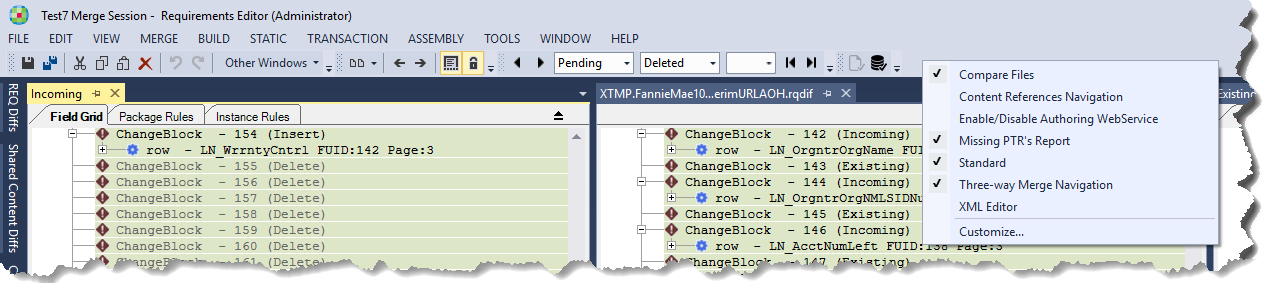
Compare Files
This toolbar applies to the 2-way Diff Window.

| Button | Description |
|---|---|
Compare View | Allows you to select the layout of the two documents
being compared.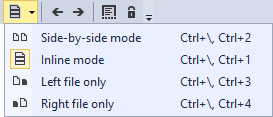 |
Previous Difference | Navigates to the previous identified difference |
Next Difference | Navigates to the next identified difference |
Ignore trim white space | Trims the white space from being displayed in the viewed documents |
Auto-syncronize Views | Enables both document windows to move together as you scroll |
Content Reference Navigation
This toolbar applies to the 2-way Diff Window.

| Button | Description |
|---|---|
Previous Content Reference | Navigates to the previous content reference |
Next Content Reference | Navigates to the next content reference |
Three-way Merge Navigation
This toolbar applies only to the Three-way Merge functionality (REQ Diff Editor) for REQ files only.
| Button | Description |
|---|---|
Previous Difference |
Navigates to the previous identified difference |
Previous Conflict |
Navigates to the previous identified conflict |
Next Conflict |
Navigates to the next identified conflict |
Next Difference |
Navigates to the next identified difference |
| Select Change Block lists | The three Select Change Block drop down lists provide an easy
method to navigate to the desired change blocks based on the status
and type of the change block. For example, if you wanted to navigate to any existing changed and pending change blocks, you would select a State of Pending and a Type of Changed. You could then easily navigate through the resulting change blocks using the Select Change Block Index list. |
Select Change Block State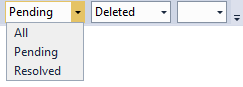 |
Allows you to filter the change blocks by their state. Options
are:
|
Select Change Block Type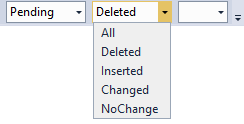 |
Allows you to filter the change blocks by the type. Options
are:
|
Select Change Block Index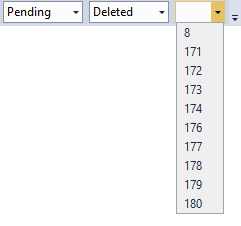 |
Allows you to quickly navigate to the change block items that have been filtered using the Select Change Block State and Select Change Block Type lists. |
Note: Previous & Next Difference buttons will skip over NoChange change blocks. This
will be based on the window in focus.
Missing PTRs Report
The Missing PTRs Report toolbar provides a way to check if removing PTR logic from
the Outline or the Field Grid will break the REQ.
| Button | Description |
|---|---|
Check Current REQ |
Checks the current document within the 3 Way Merge |
Previous Conflict |
Checks the entire repository for impacted documents. |