Merge Menu
The Merge menu provides access to the following commands:
- Generate Results
- Generate Impact Analysis Reports
Generate Results
The Merge > Generate Results command allows you to generate your final repository from all selected changes.
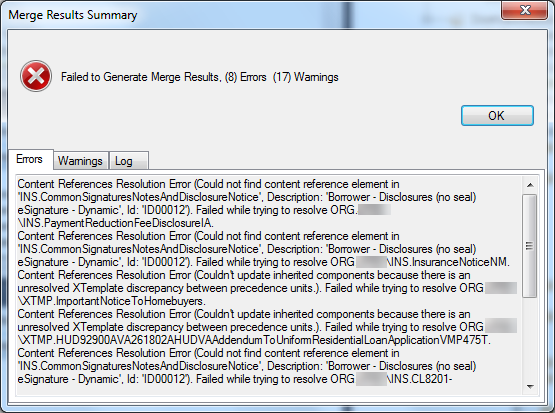
If there are items within the merge session that require attention,
you will be prompted with a summary dialog.
If the merge is successful but user decision items remain, a dialog
similar to the following is displayed:
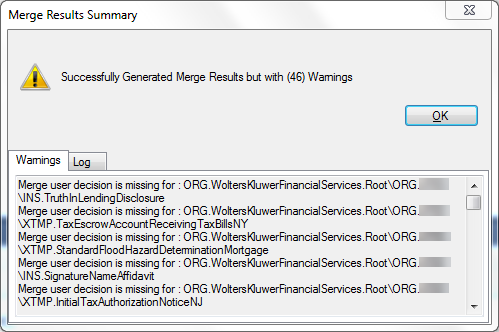
The tabs in the dialog display the errors and warnings found during the merge process and allow you to copy and paste the results into a text editor for reference when further working in your Merge Session.
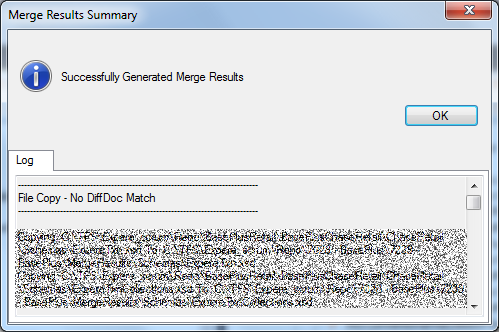
When all errors and warnings are dealt with, a message is displayed
indicating successful generation of the merged repository. Customer information in
the following example has been masked.
Note:
- Repository Merge assigns override logic to XTemplate DiscreteParty and
InstanceProperties row elements.
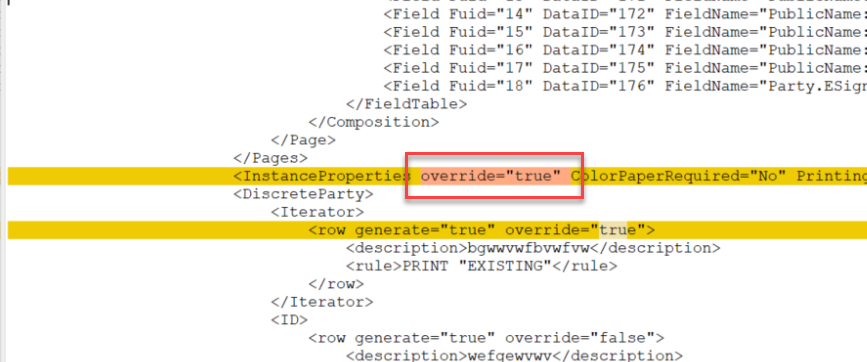
- For static documents: the XTemplate node does not include internal DiscreteParty and InstanceProperties elements when the override flags are being assigned during the Merge process.
- If there are no missing DTAs when Merge Session Results are generated, no Missing DTAs Report is generated and no visual indicator (message) is displayed. The report is generated only when missing DTAs are identified.
Generate Impact Analysis Report
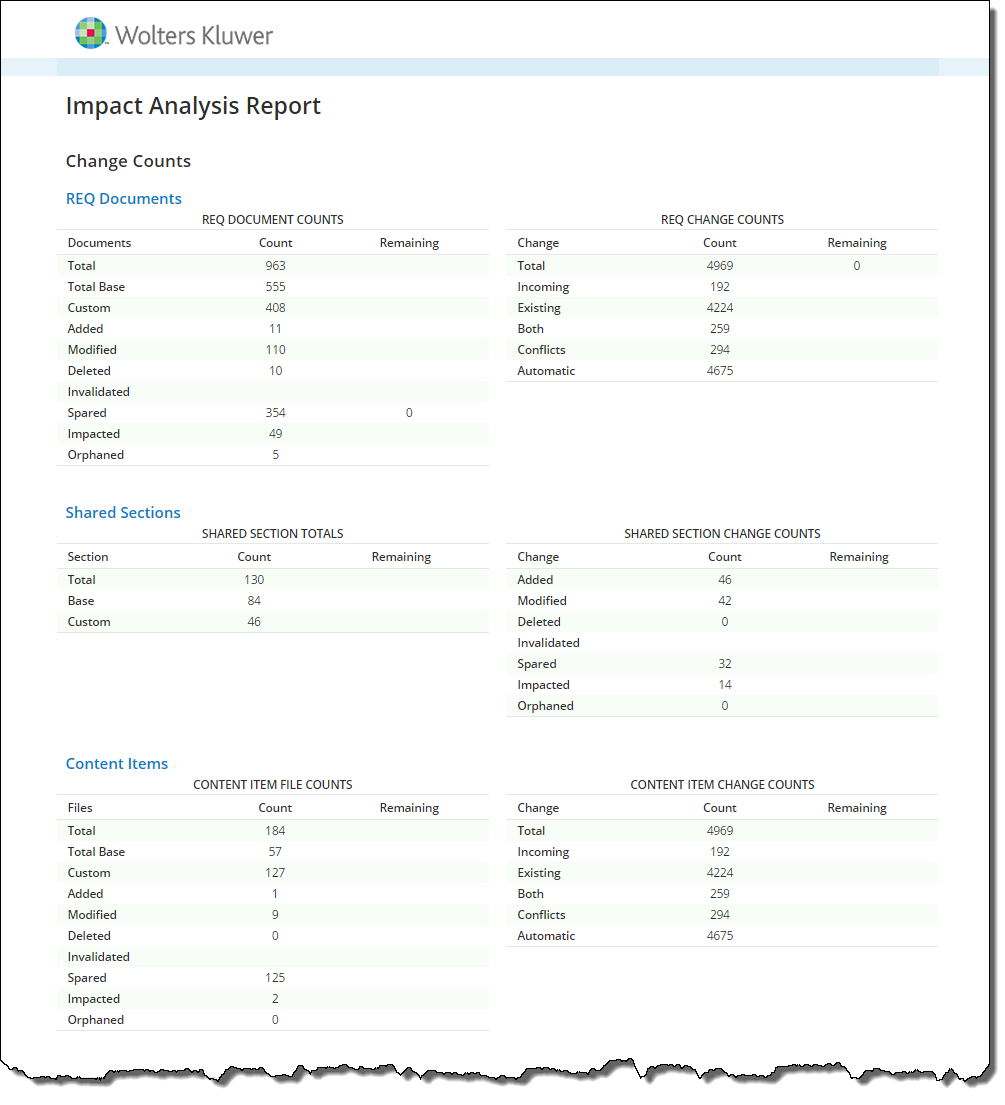
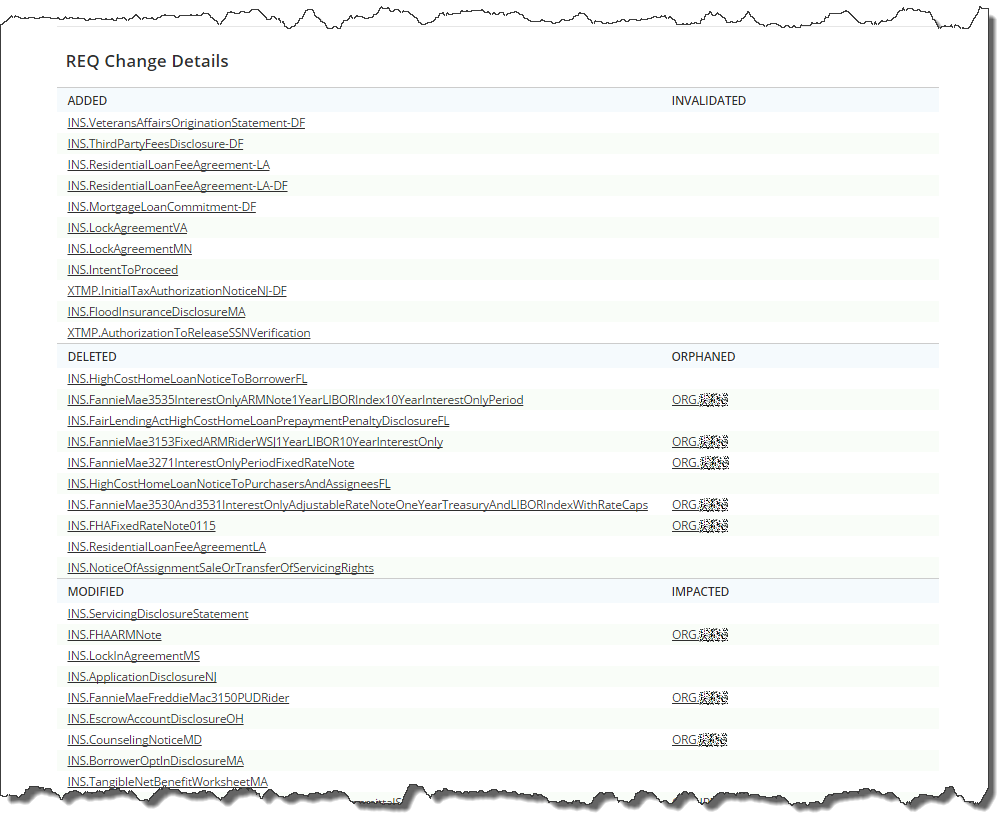
Selecting Merge > Generate Analysis Report generates a multi-page HTML analysis report containing Change Counts (summaries) and REQ Change Details. The report is displayed in your web browser upon successful completion. For more information, refer to Impact Analysis Spreadsheet.
Change Counts enumerate the changes to REQ Documents, Shared Sections
and Content Items, as shown in the following example.
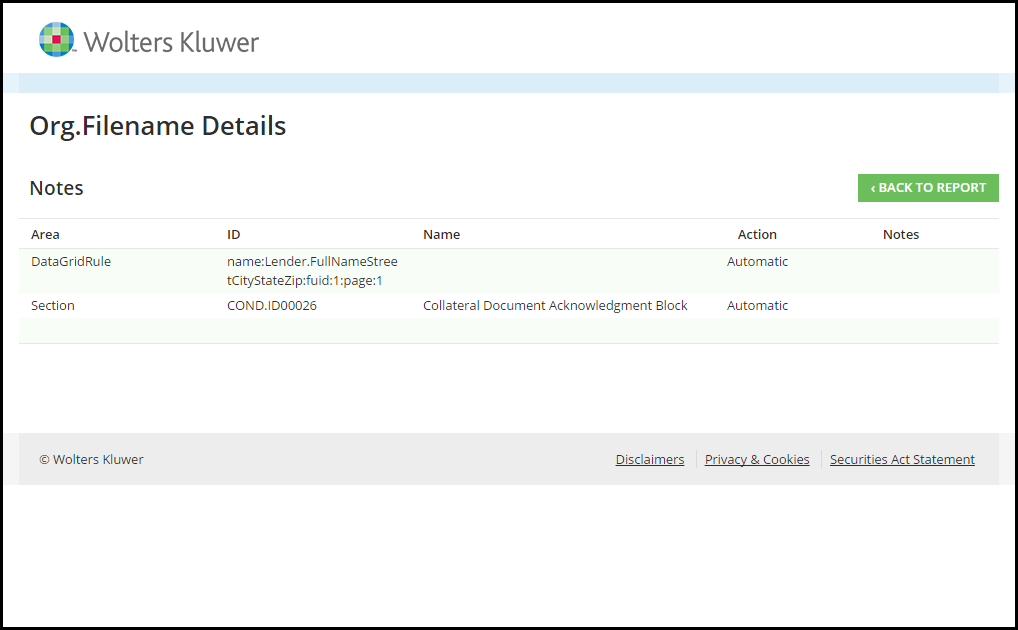
The REQ Change Details section provides links to HTML pages containing
details about the changes of individual REQ changes.
Note: If an XPath is deleted from the Existing or Incoming repository, the Impact
Analysis reports them with a deleted
value:
<ExistingXPath>Deleted</ExistingXPath>
<IncomingXPath>Deleted</IncomingXPath>
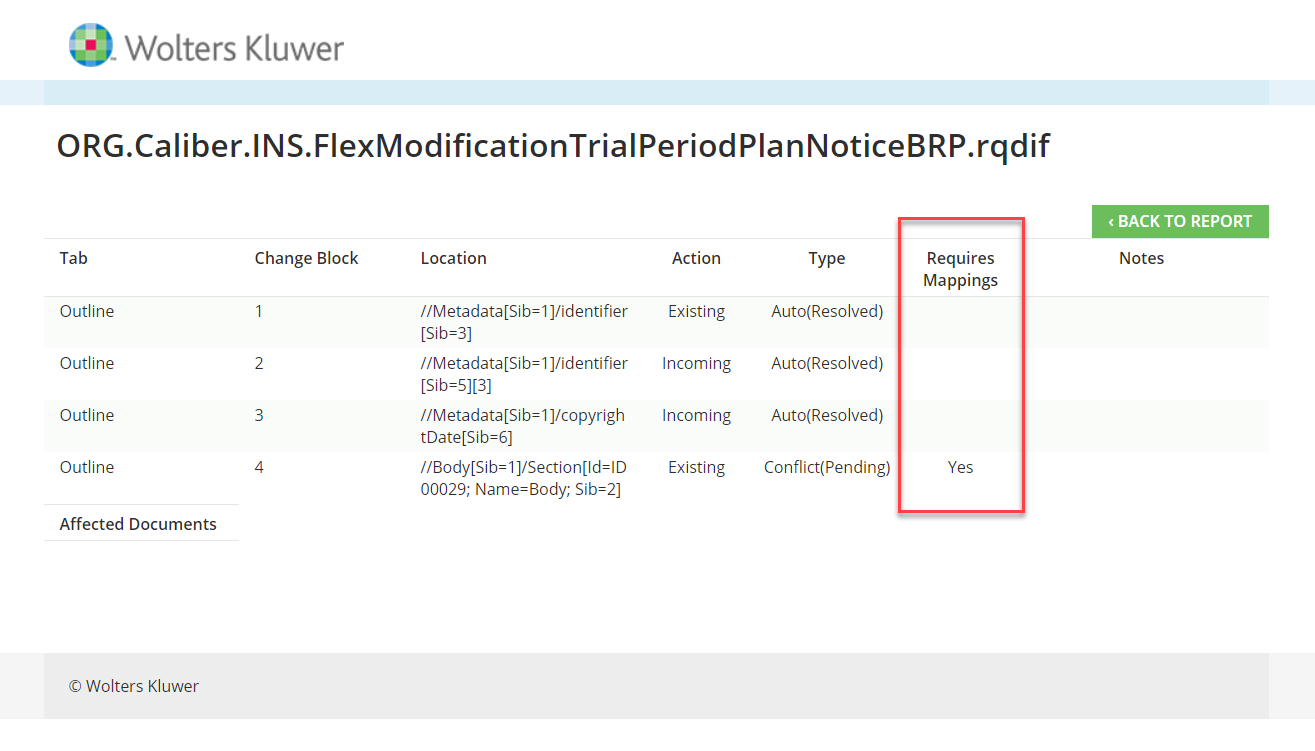
If there are any ChangeBlocks that require manual mapping, the Impact Analysis report
displays a column indicating the associated ChangeBlock.