Adding Collateral

  1. Access the Collateral page by clicking the COLLATERAL link on the Submenu. Choose real estate or security agreement collateral types
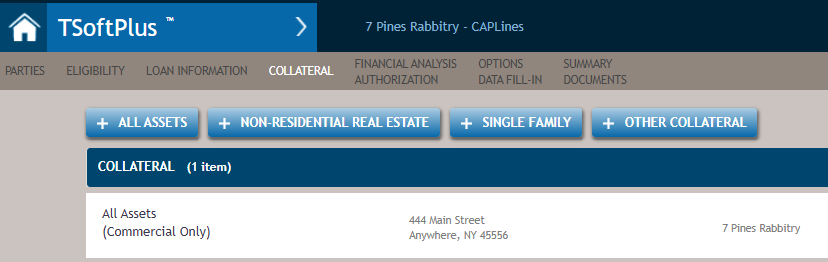
  2. Click one of the four buttons that most closely matches the collateral you wish to add: +ALL ASSETS, +NON-RESIDENTIAL REAL ESTATE, +SINGLE FAMILY, or +OTHER COLLATERAL. You will be asked to add the collateral information details for the desired collateral including address, description and owner as well as other information needed to define the collateral.
  3. When finished, click SAVE.
    All of the collateral selected for the transaction will be listed.

  4. To add more collateral, once more click one of the four buttons that most closely matches the collateral you wish to add and enter the details for the collateral.