Publish Single File
Rather than publishing entire sets of files for a profile, InfoDev Tools also provides the ability to publish just a single file to your selected location on a server. This can be any specific file within your normally published profile, or a particular non-profile file such as landing pages. Virtually any single file that can be published to the InfoDev servers can be published from here.
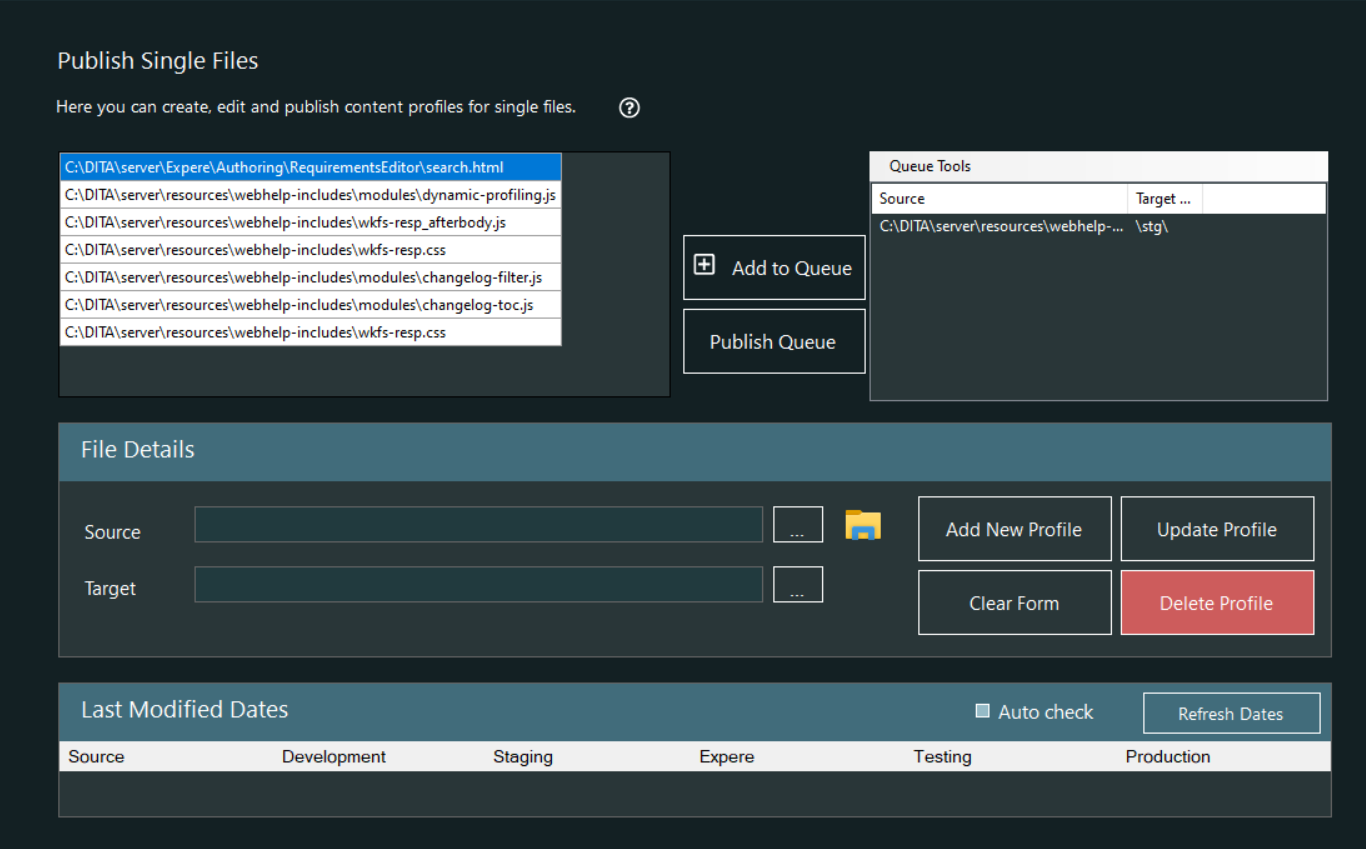
Publish Single Files features
Publishing single files is similar to the Publishing Queue in that you can retain individual single file profiles with a selected source and target, and you can select the server to which to publish. However, When you publish, there is no queue; you simply publish immediately to the selected server.
| Profile list | Displays the Source saved single file profile |
| Add to Queue | Allows you to select the target server as you send the file to
queue.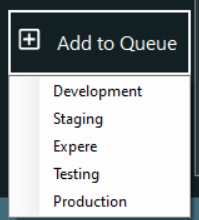 The resulting queue item is displayed in the Queue list |
| Queue list | Contains the record of all files wiating to be published. The Queue Tools menu at the top of the list allows you to remove individual queue items or clear the list entirely. |
| Source (text and Browse button) | Selecting the Source Browse button allows you to select the single source file to add to a single file profile |
| Target (text and Browse button) | Selecting the Target Browse button allows you to select the location on the Development server to add to a single file profile. This is the same location used for all servers. |
| Add New Profile | Creates a new Single File profile including the text from the Source and Target |
| Update Profile | Updates the profile selected in the profile list using the text from the Source and Target |
| Clear Form | Removes all text from the Source and Target text boxes in preparation for entering new profile information. |
| Delete Profile | Deletes the selected Single File profile. |