Dashboard
The Dashboard is displayed automatically when you start InfoDev Tools. This screen contains a summary of your publishing activity.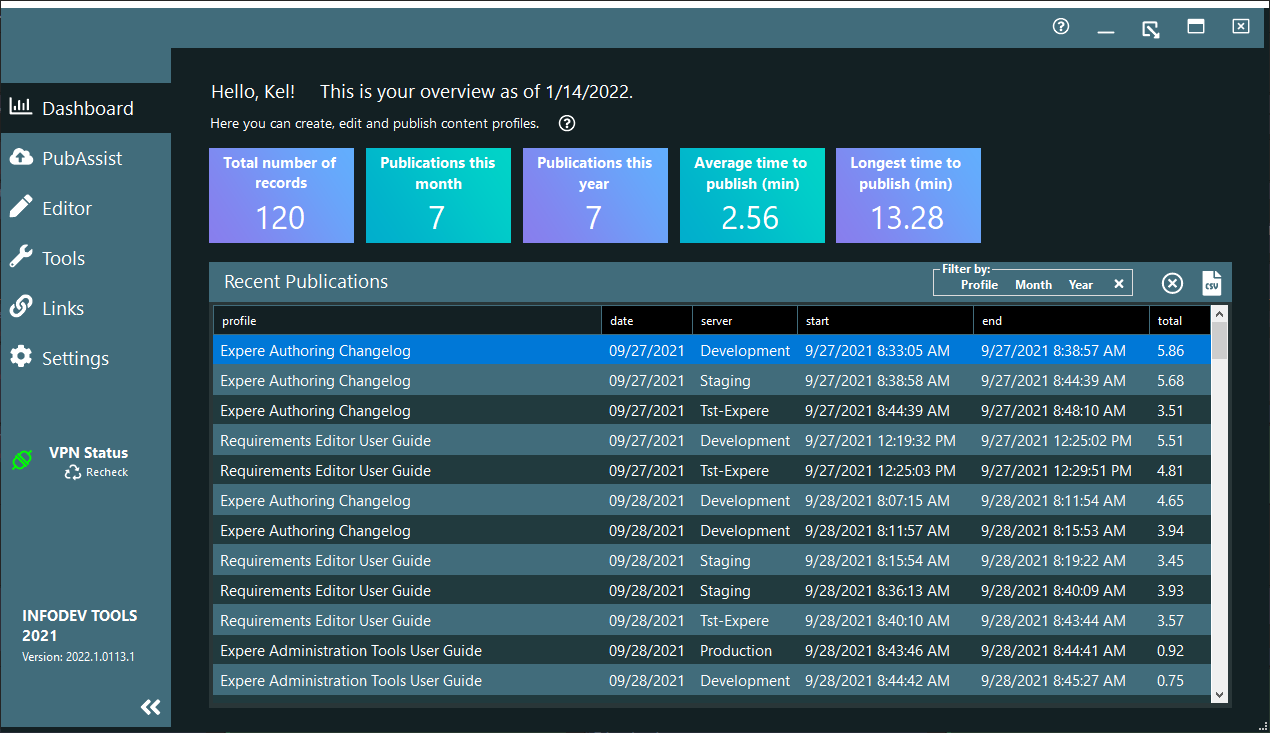
This screen is divided into the following features.
Dashboard Summaries
The colorful row of rectangles provide a quick glance at how your recent publications
are broken out by:
- Total number of records: Displays the total number of publications within the Recent Publications XML file
- Publications this month: Displays the number of publications made in
the current monthNote: Selecting this box filters the Recent Publications list to display only those publications made in the current month.
- Publications this year: Displays the number of publications made in
the current yearNote: Selecting this box filters the Recent Publications list to display only those publications made in the current year.
- Average time to publish (min): Displays the average time to publish for all records displayed. If the Recent Publications list is filtered by month or year, the average time reflects the average for the month or year, respectively.
- Longest time to publish (min): Displays the longest time to publish
for all records displayed. If the Recent Publications list is filtered by
month or year, the longest time reflects the average for the month or year,
respectively.Note: Selecting this box brings the record with the longest time into focus within the Recent Publications list.
Update notification
The update notification automatically appears when there is a newer version available
than the one you are using.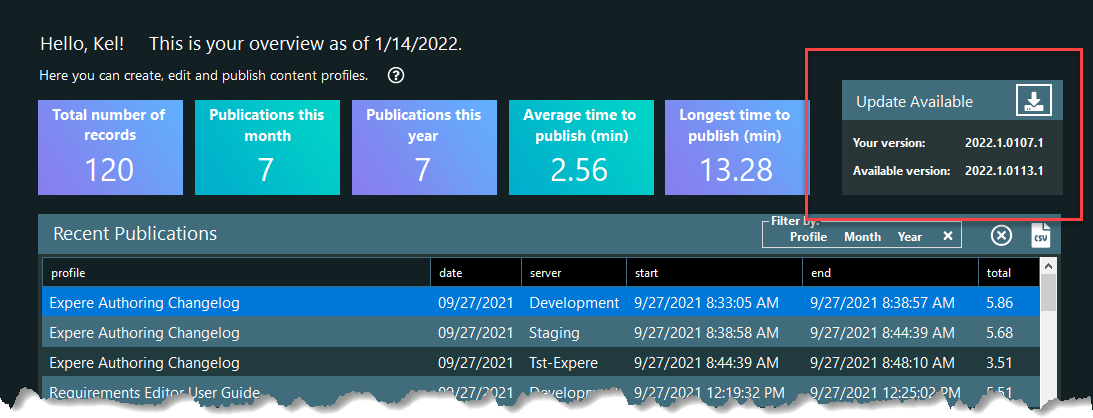
Tip: You should always update at your
earliest convenience as you may miss out on features that affect your experience
with InfoDev Tools.
Recent Publications
This list displays all the profiles that have been published since your InfoDev Tools publishing history began. Each record contains:
- profile: the Profile name fpr the artifact published
- Date: Date of publishing
- Server: The server to which it was published
- Start: The time the publishing started
- End: the time the publish ended
- Total: The total time to publish
- Method: The method with which the profile was published. Currently this only supports publishing using the Azure file system.
The following features are available in the Recent Publications header.
Filtering Recent Publications
The following filter features are available in the Recent Publications title bar.
The Filter by group
provides the ability to filter the Recent Publications list by: : Deletes the selected records. You can select multiple
records using the standard Ctrl + Click and Shift + Click.
: Deletes the selected records. You can select multiple
records using the standard Ctrl + Click and Shift + Click.
- Profile name (Ctrl+P): Displays only records that match the profile of the selected record
- Month published (Ctrl+M): Displays all records published in the current month
- Year published (Ctrl+Y): Displays all records published in the current year
- X (Ctrl+Shift+F): Clears the filters to display all records
: Deletes the selected records. You can select multiple
records using the standard Ctrl + Click and Shift + Click.Export to CSV
 : Exports
all records to a CSV file. This is helpful for further publishing
analysis.
: Exports
all records to a CSV file. This is helpful for further publishing
analysis.