General Features
IDT has certain features, the Titlebar and Navbar, that are always available when using IDT.
Navbar
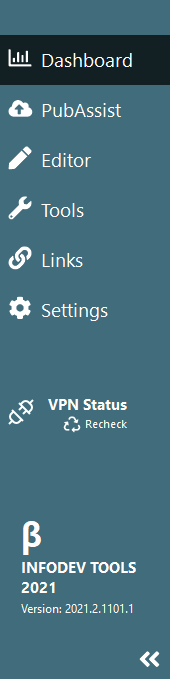
|
The Navbar contains all the navigation buttons and menu items
needed to access most features within IDT. Nav buttons The top buttons provide access to the various screens as well as Tools Menu and Links menu . VPN Status The VPN Status indicator provides a quick glance as to wheter or not you are currently connected to VPN. Should or connection change (manually or otherwise) you can select Recheck to force IDT to confirm the status of your VPN. Collapse/Expand The double arrow at the
bottom of the Navbar allows you to collapse or expand the Navbar.
This provides a bit more room horizontally for IDT to display
features.  |
Titlebar
The Titlebar contains access to the Help menu as well as the application
controls.
Note: The application name is only visible within the Titlebar if
the Navbar is collapsed.
Help Menu
The Help menu contains links to the following:
- InfoDev Tools Help (this document)
- InfoDev Tools Release Notes
- DITA Files Release Notes
- Getting Started with the InfoDev WebHelp Model
- View Error Log
- Clear Error Log
- Version information
Application Controls
The application controls consist of the
standard Windows application buttons (Minimize, Maximize and Close) as well as
the Minimize to Taskbar button (  ). Clicking this button minimizes IDT and places the icon in
the taskbar.
). Clicking this button minimizes IDT and places the icon in
the taskbar.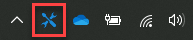
). Clicking this button minimizes IDT and places the icon in
the taskbar.