Rules Context Menu
A unique context menu is available for rules (DTAs) within the Outline Editor tab. To access this menu, you must:
-
Double-click the line containing the rule to open the textual editor.
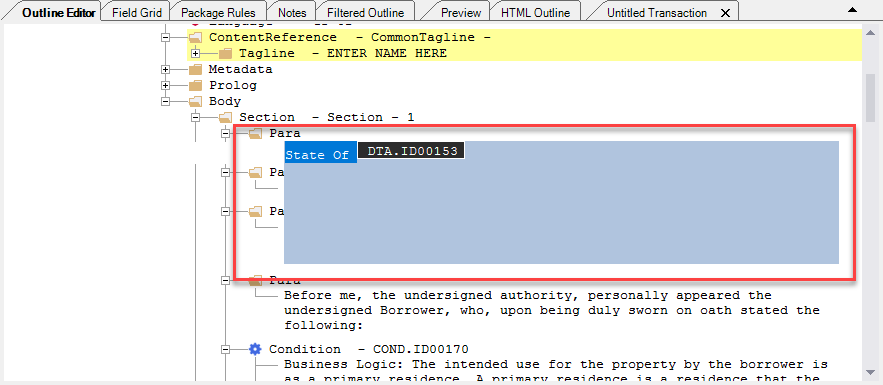
- Left-click anywhere within the textual editor to deselect the content.
-
Right-click the rule to display the rules context menu.
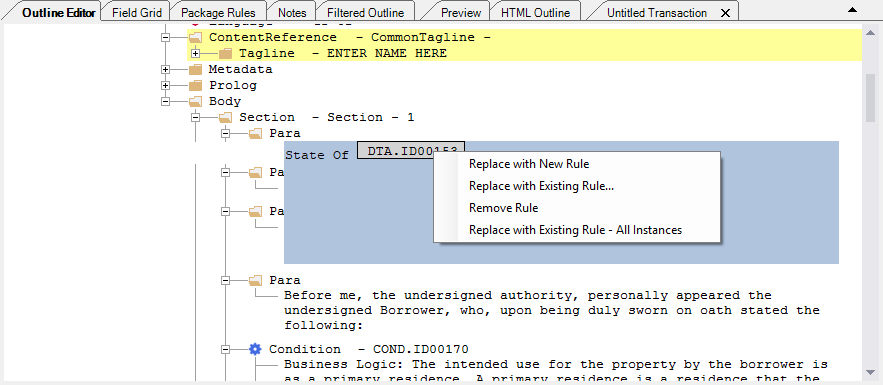
Replace with New Rule Creates a new rule and replaces the selected rule with the new one. Replace with Existing Rule... Allows you to replace the selected rule with a rule from: Remove Rule Removes the selected rule Replace with Existing Rule - All Instances Allows you to enter an existing rule name and then replace all other existing instances of the rule with your entered rule.If an ID is entered that does not exist, an error message is displayed.