Outline Editor Tab
Note: This section provides information on working with the Outline
Editor tab within a Merge Session. The same conceptual information applies as
for the general Requirements Editor functionality. For more information refer to Outline Editor.
The Outline Editor tab allows you to browse the outline of the selected
document for the purposes of viewing the changes between the Existing and Incoming
repositories, but also offers the ability to accept and reject versions of
those changes.
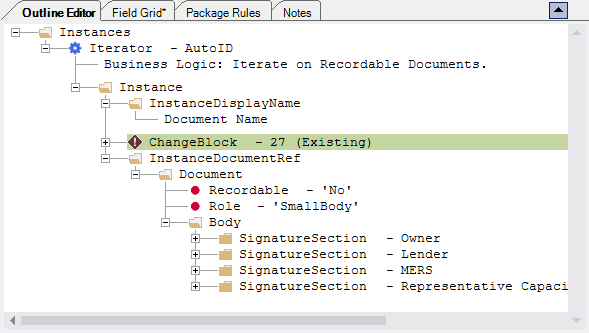
Note: In the above example,
Icons have been implemented within the Outline Editor to provide visual indicators as to a document's status. For more information, refer to Application Icons.
Right-clicking any ChangeBlock within the Outline Editor displays a
context menu, allowing you to select an action to take on the item.
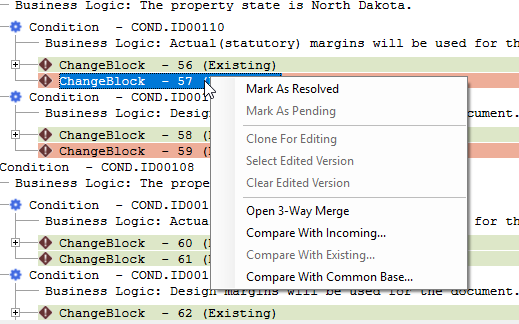
For more information on context menus, refer to the ChangeBlock Context Menu table.
Note:
- If the .REQDIF file is closed or loses focus, the Incoming and Existing windows remain open, but no information is displayed within them. When focus is returned to the REQDIF file, they again display the associated information.
- A warning message appears when attempting to use the existing ContentReference rule (DTA/COND/ITR) outside of the ContentReference. This helps ensure the success of the base content update process and builds. For more information, refer to About Content References