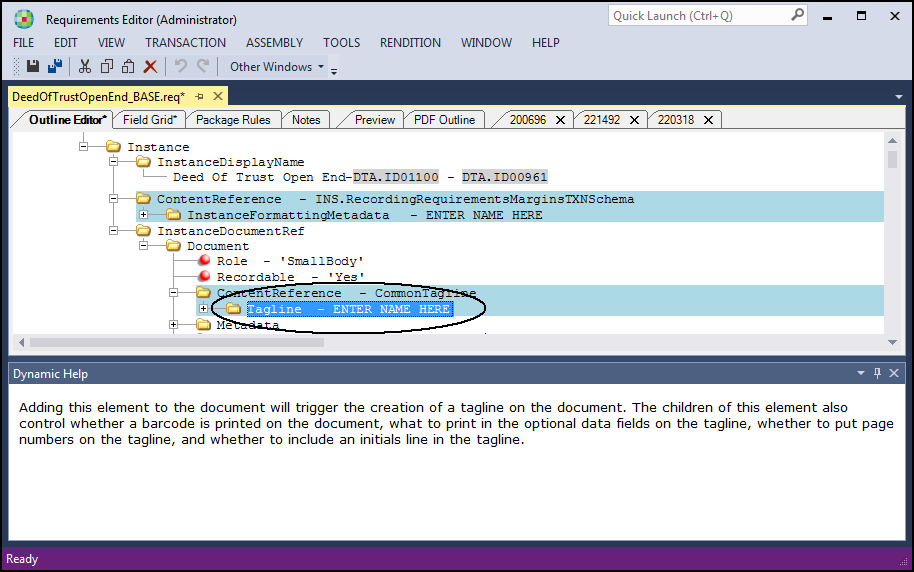
Dynamic Help
The Dynamic Help window provides basic guidance and best practice
tips for a selected element within the requirements file. The help is derived from
annotations in the source code and displays for a given element when that element is
selected in the Outline Editor. In addition
to the Dynamic Help view, the help copy also is displayed as a tool tip when you hover
over an element in the Outline Editor.
Note: Dynamic Help is not
implemented in all possible situations. When not implemented, default help copy is
displayed.
The Dynamic Help window is available by clicking the Dynamic Help
option in the menu and also through the standard toolbar in the Other Windows
list. The window is available for dynamic documents. For static documents, the view is
available but help text is not implemented. This is an example of the Dynamic Help
window when the Tagline element is active.