Notes
The Notes pane allows you to view all notes associated with the currently viewed REQ
file. You can access the Notes pane by selecting or by selecting Notes in the Windows list from the standard
toolbar..
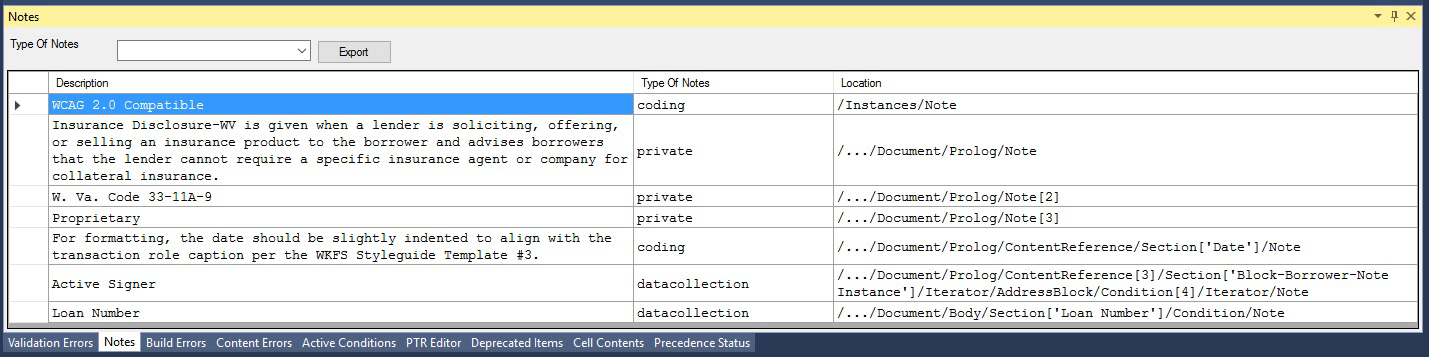
The default view shows all associated notes, which can be filtered by selecting
from the Types of Notes list. You can select from:
- All (default)
- Analysis
- Private
- Coding
- Site
- Data Collection
- Relationships
You can export all notes displayed to a CSV file by selecting Export.