List Documents
The List Documents option allows you to retrieve a list of documents in a base or custom package for a specified transaction.
Click the List Documents option on the main Tool Suite page to begin.
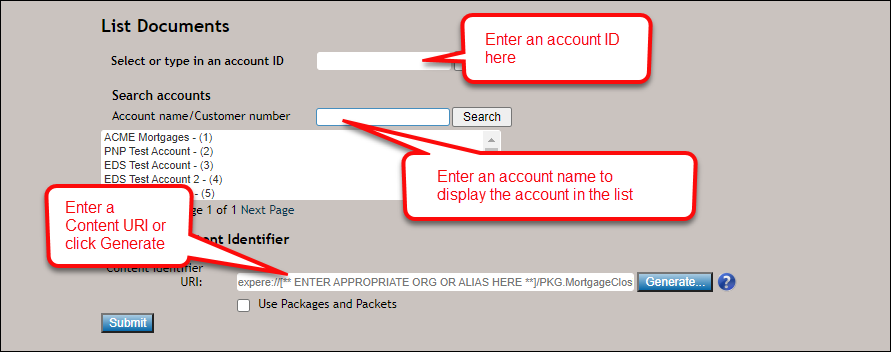
- If you know your account ID, enter the ID in the Select or type in an account ID field. To remove the ID, click Clear.
- To search for an account name or customer number, enter an account name or customer number in the Account name/Customer number field; click Search. The Account name/Customer number field will return an account list with all of the accounts that contain any portion of that search criteria. The accounts are assigned to you during your user account creation in the Enterprise Administration application.
Note: Users can enter up to 255 characters in the Account name/Customer number field.
-
Enter the Content Identifier
URI value, which consists of the Alias and Content Package; click the
"?" icon to access the Content
URI webhelp topic. Users may also generate a Content Identifier URI
that incorporates the alias for a fully resolved inline package by selecting the
Use Packages and Packets checkbox; select Generate a fully
resolved package for more information.
Note: The Alias is managed and maintained in the Document Generation Services management tool
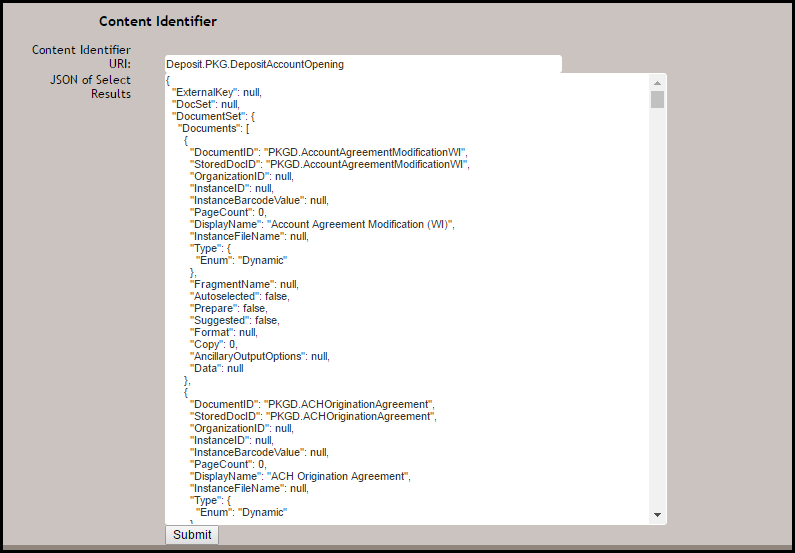
- Click Submit to return the document list.