Options: Expere
The Expere section provides access to various customization aspects of working with Expere Engine, DocViewer, and other Expere-related features.
General
The General section provides access to a variety of settings pertaining to the Expere engine.
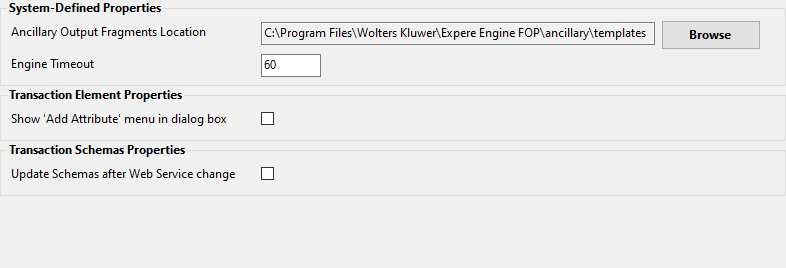
| System-Defined Properties |
|
| Transaction Element Properties | Show 'Add Attribute' menu in dialog box: Allows you to configure the
appearance of the Add Attribute list for transaction elements. When set to
False, the attributes list appears within the context menu: 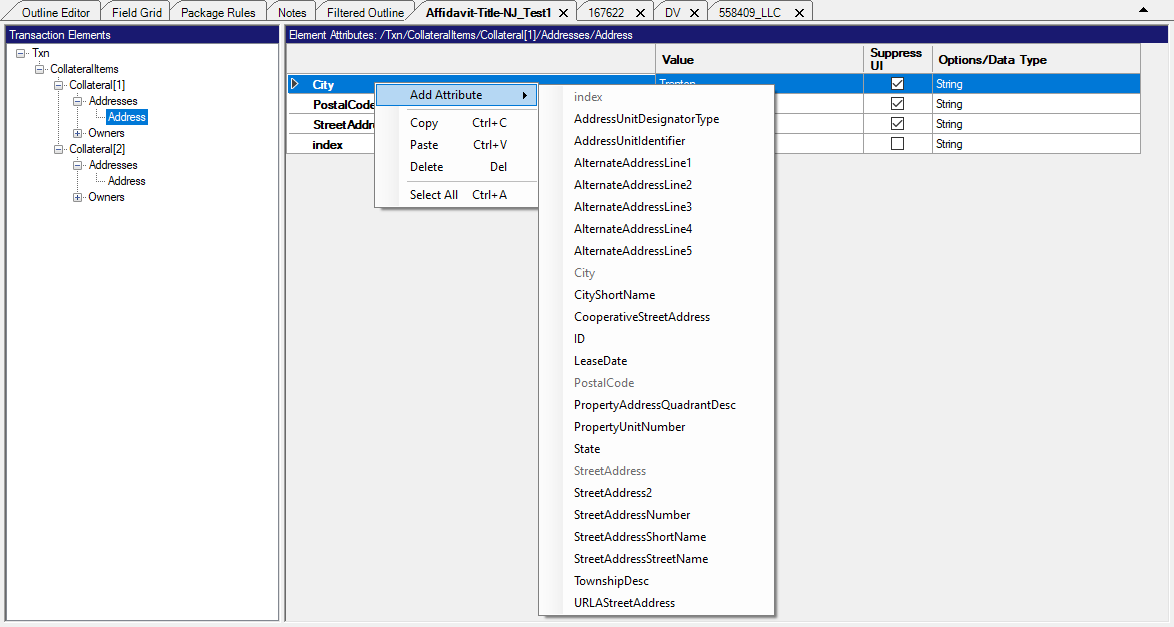 When set to True, the attributes list appears within the Add Attribute dialog box: 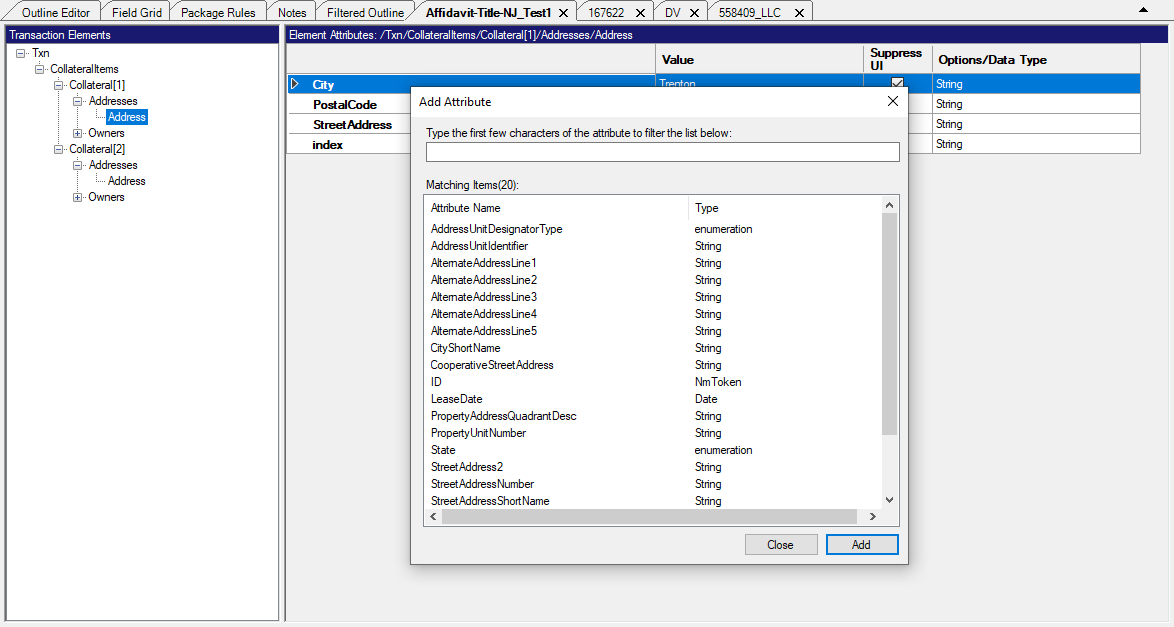 |
| Transaction Schemas Properties | Update Schemas after Web Service change: Allows you to set whether or not the schemas are updated after a web service change. Default is False. |
Authoring Web Services
Authoring Web Services allows you to add, delete and maintain multiple Authoring Web Service files.
For more information, refer to Authoring Web Services.
DocViewer
Web Service Address: Displays and allows you to change the location of the DocViewer service.
Editor
Allows you to view and change the following Editor settings:
- Collapse Attributes: allows you to decide if attributes should be displayed within the Outline Editor as expanded or collapsed. For more information, refer to Collapse Attributes.
- Show Dependencies Count: provides the means to always show the number of dependencies for elements within the Outline Editor. For more information, refer to Show Dependencies Count.
- Show Element IDs: provides a method of showing or hiding the element IDs when a requirements document is opened. For more information, refer toShow Element IDs.
- Use Schema Occurrances: allows you to enable or disable schema validation of element occurrences in order to create content with conflicting element occurrences. The default value for this setting is True.For more information, refer to Use Schema Occurrences.
Transaction Schemas
Allows you to view, edit and create Transaction Schema parameters. For details, refer to Working with Transaction Schemas.