Options: Environment
Requirements Editor provides several options allowing you to define the look and feel of the interface, how toolbars are displayed, auto-recovery and start up behavior, and other features to tailor the working environment. These customization options are available by selecting .
General
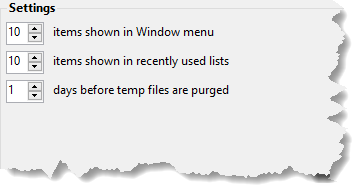
- Window menu items: Sets the number of items (0-99) to display in the Window menu, allowing you to quickly switch between open documents. Increasing this value can be helpful if you frequently work with many files at once, as it provides faster access to more open documents directly from the menu.
- Recently used files: Sets the number of items (0-99) to display in the Recent Files list, which appears under the File menu. This lets you quickly reopen files you have worked on recently. Adjusting this value can help you manage how many recent files are tracked and shown for easy access.
- Clear Temp Files: Allows you to manually clear outdated local files and temporary data generated by Requirements Editor. This helps manage disk space and performance, especially for users working with many branches or large databases. You can use the Clear Temp Files option () to clear data immediately, or adjust the purging period for automatic cleanup. By default, local files are automatically purged every 30 days.
AutoRecover
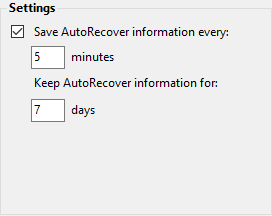
Save AutoRecover information allows you set the frequency, in number of minutes, that Requirements Editor automatically saves your modified document.
Keep AutoRecover information allows you to set the maximum number of days that the AutoRecover information is retained. After the configured numbers of days has passed, any AutoRecover information older than the threshold is deleted and is not recoverable.
Fonts and Colors
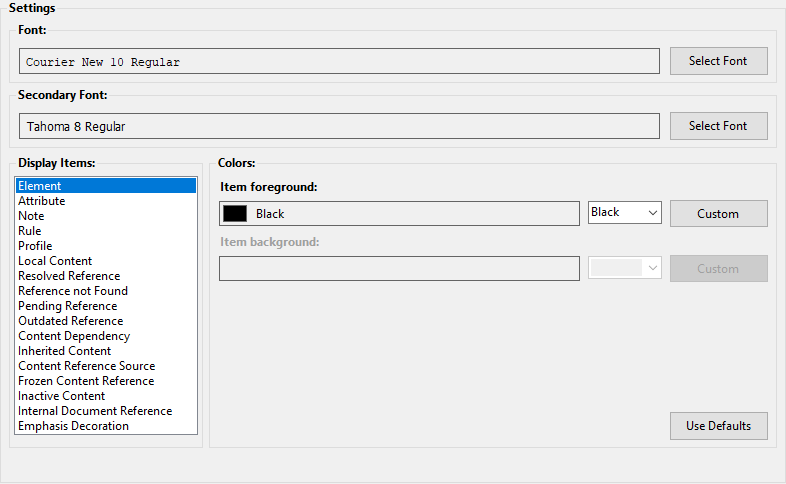
- Form Field - Field
- Form Field - Selected Field
- Form Field - Overriden Field
- Form Field - Inherited Field
- Form Field - Field w/o PTR
- Form Field - Field w/o Description
- Form Field - Field w/o PTR and Description