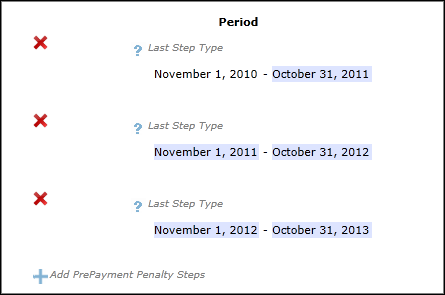
Plus Signs (+) / Minus Signs (-)
Selecting the +/- sign adds/removes a section in the document. After selecting the + sign and entering data at that location, the + sign appears as a – sign and a section will be added in the document display view. After selecting the – sign and removing data the – sign appears as + sign, and the added section will be removed from the document display view. Depending on the data being collected for the +/- sign, different behavior will occur.
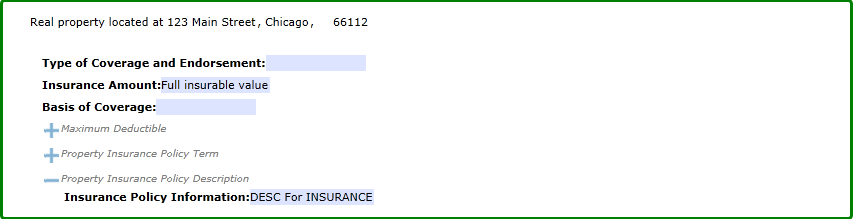
- Description Fields: when the + sign prompts for description field data, Clicking the + sign will result in displaying the description field allowing the user to enter data.
- Entering data into the description field and clicking the - sign causes the
following to occur:
- Any data entered into the description field is removed
- The description field no longer appears and the - sign changes back to the + sign
- True/False Indicators: When the +/- sign prompts for data that is either true or false for the transaction, clicking the +/- sign either adds or removes text.
- Single or Multiple Data Prompts: The +/- signs may prompt the user to complete additional data; based on how the user completes the data prompts will add or remove the associated paragraph.
Filtering on required data
If an overlay dictionary with a "RequiredUIField" flag set to "1" and SupportedRequiredFields flag set to "true" has been passed in with the BeginSession input, certain data fields contained within the +/- symbol may appear in red only after expanding the symbol itself.
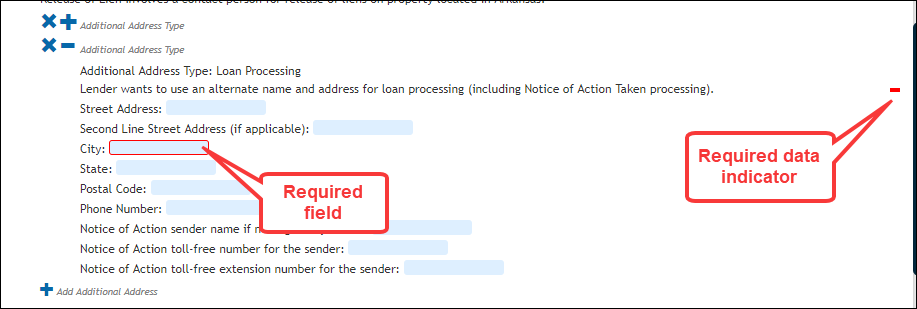
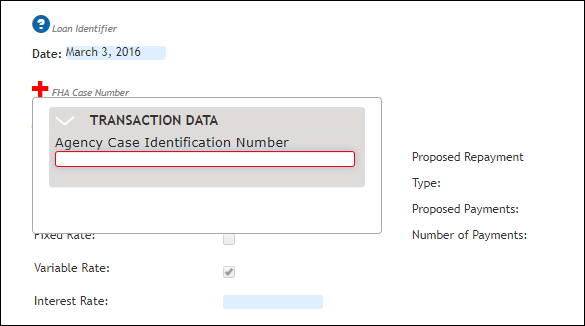
If the +/- symbol contains a single value, the plus sign appears in red.
Plus Signs (+) / Red X Icons
Multiple instances of the same data may exist. Clicking the X removes the associated row. Selecting the + adds a new row.