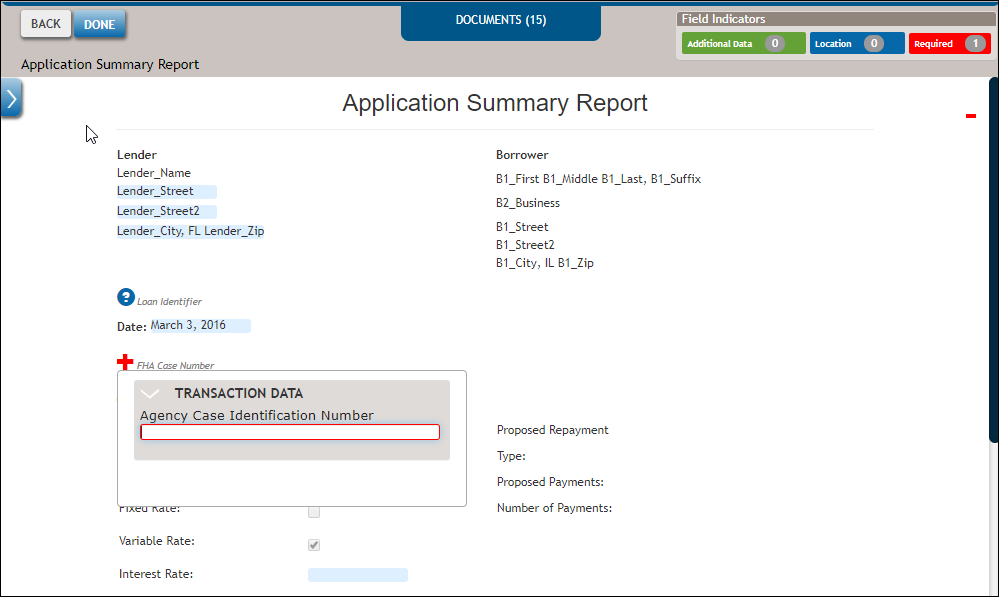
Entering data using the Data Entry drawer
The DATA ENTRY drawer, located on the left side of the page, organizes all data fields available on the current document in a list view. Click the DATA ENTRY tab to display the DATA ENTRY drawer and click again to hide it.
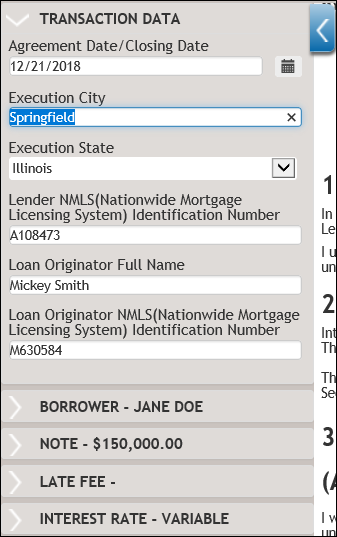
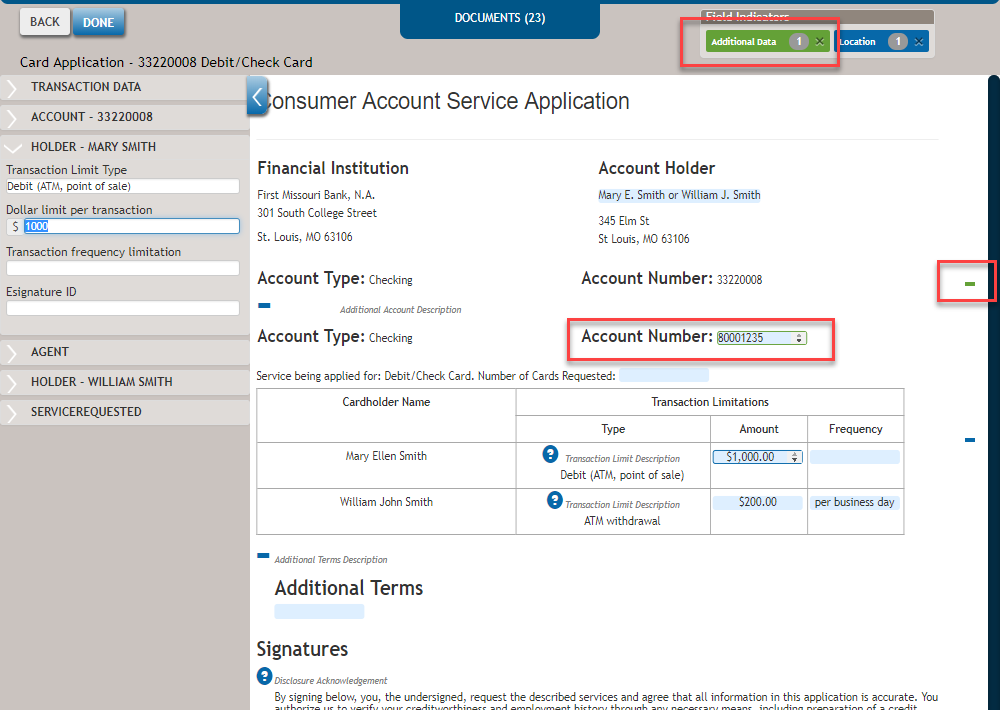
In some instances clicking on a data group displays a green Additional Data
counter within the document (see highlighted Account Number field below) where the data
points in that group are used. This indicates that additional data is required.
Note:
- Clicking the X within the green Additional Data indicators box (see top right in example below) dismisses the prompt and removes the outline.
- Clicking the green scroll bar indicator allows you to auto-navigate to the location of the field in the page.
Note: The DATA ENTRY drawer is an optional item and may not appear based on the user
implementation.
In addition to a green Additional Data and blue Location counter, clicking on a data group displays a red Required counter that indicates how many required data points exist in the document.