Find Forms Using this Rule
The Find Forms Using this Rule report provides a "Where Used" type of functionality for any rule within the currently active static file.
To view this report, select a rule from the Field Grid tab, then select .
The report is displayed as a list within a new window, as in the following example.
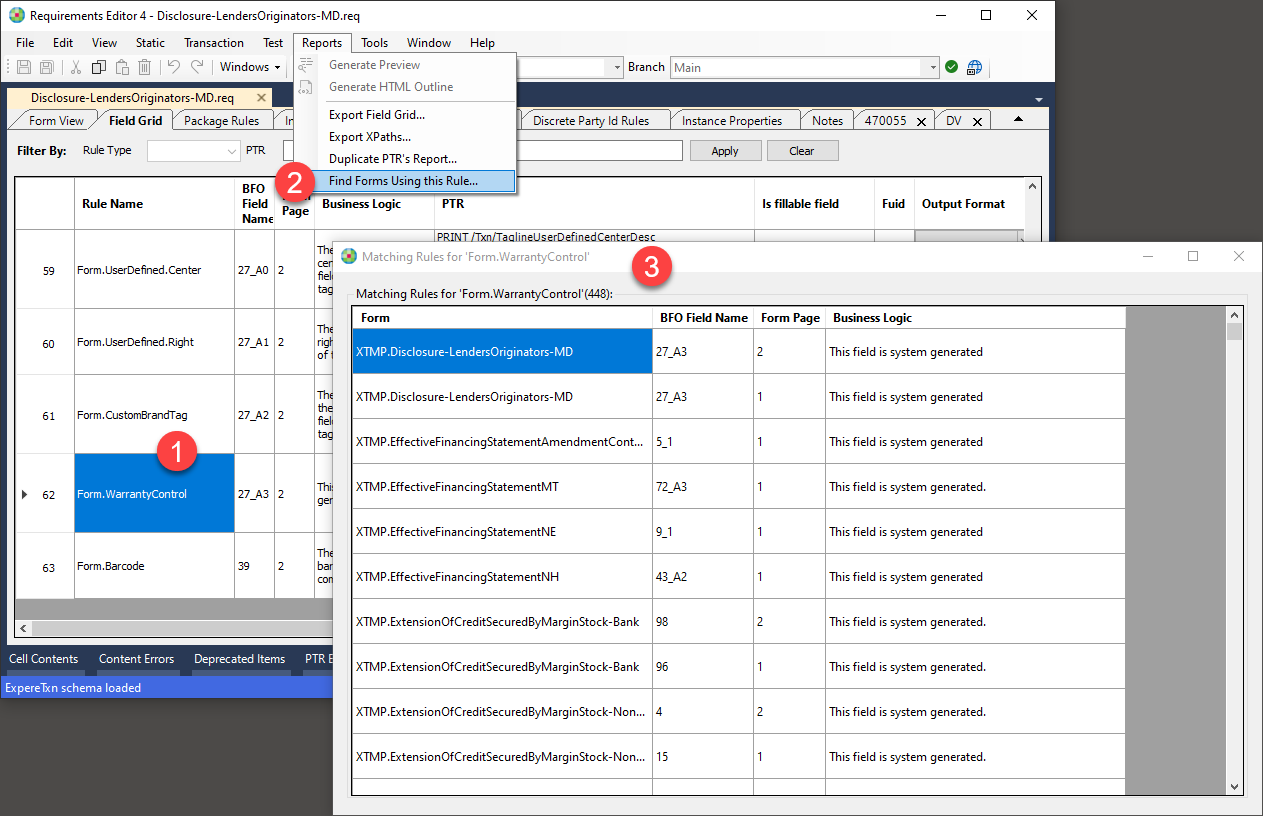
This window allows you to copy reported information by selecting one or more cells and then right-click and select Copy.